This article, “Parallax Monitor/ZR Ctl: the Nikon Z-series control app you will want on every shoot,” is written by Mike Aguado (YouTube channel).
The app was previously reported in this post:
The latest Nikon ZR accessories: skins, cages, underwater housings, third-party apps
Here is the guest post:
Exciting news for Nikon Shooters, Parallax Monitor for iOS and ZR Ctl for Android are now available. If you shoot with a Nikon Z-series camera, you have to buy this app! This feels like it should have been part of the camera from day one.
Parallax Monitor and ZR Ctl turn your mobile device into a serious Nikon Z-series command center. This is not just a basic start/stop remote. It is a live monitor, camera controller, multicam station, stills tool, review hub, exposure assistant, LUT viewer, and field workflow app in one.
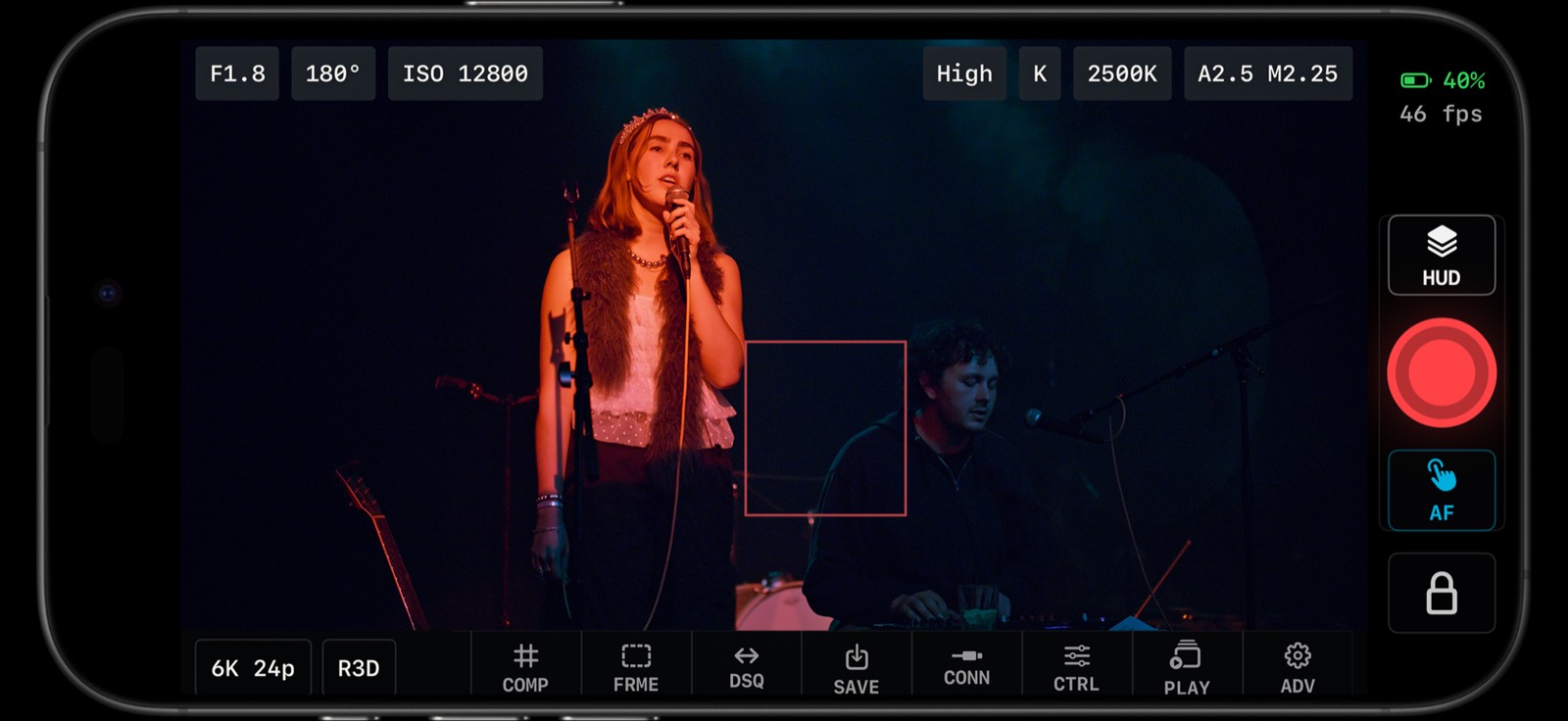
Parallax Monitor turns an iPhone or iPad into a clean live-view monitor with camera status, recording controls, timecode, and monitoring tools.
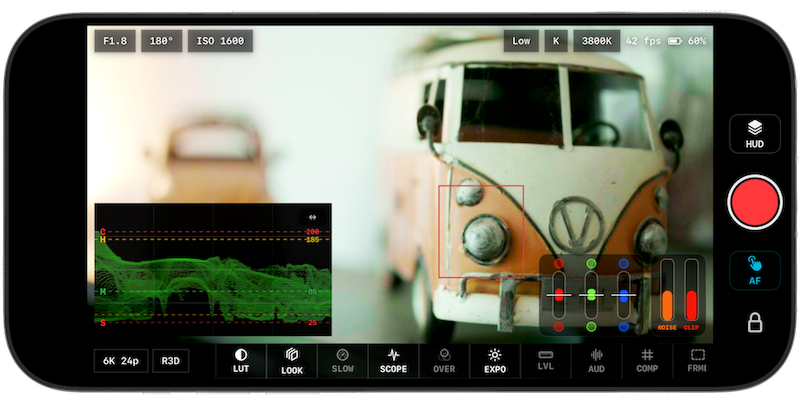
The high-performance, super-accurate live-view screen is the first thing you notice. The image stays front and center, while the controls that matter on a real shoot stay close: aperture, shutter angle or shutter speed, ISO, white balance, Kelvin, codec, resolution, frame rate, record status, timecode, battery, LUT, focus, scopes, exposure tools, level, audio, and playback.
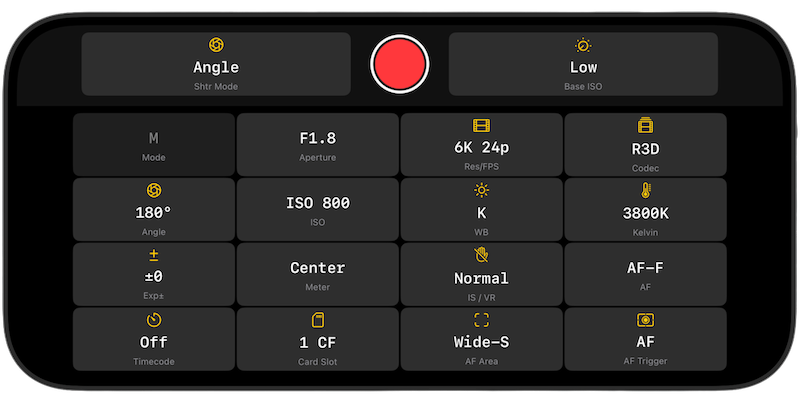
For Nikon ZR shooters, the control depth is a huge part of the appeal. The apps are designed around real camera settings, not generic remote-control checkboxes. You can work with aperture, ISO, shutter speed, shutter angle, exposure compensation, white balance, Kelvin, resolution, frame rate, codec, card slot, timecode, audio input sensitivity, autofocus mode, AF area mode, AF trigger, touch focus, and record start/stop.
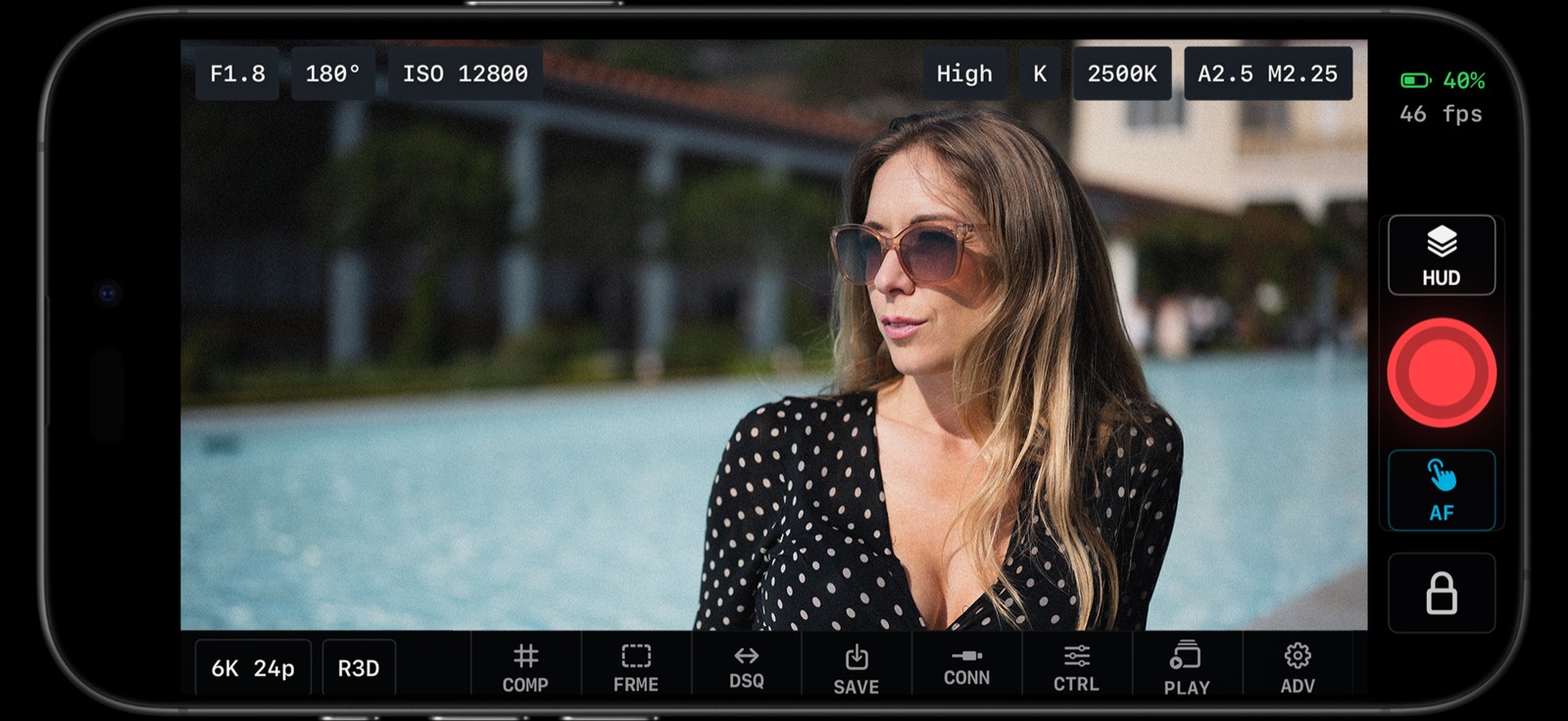
Camera settings, live view, and operator controls are grouped into a fast field surface for Nikon Z-series shooters.
One of the biggest reasons this belongs in a Nikon Z kit is its multicam capability. More and more Nikon shooters are running multiple bodies for interviews, podcasts, events, weddings, product work, studio setups, livestreams, social verticals, and behind-the-scenes angles. A phone or tablet control center is exactly what those setups need, and you can do it all wirelessly with incredible Wifi handling and class-leading performance
The multicam workflow is built for the operator who wants multiple Nikon bodies organized from one place. Instead of walking from camera to camera, you can monitor connected bodies, check status, switch the active camera, align settings, and keep recording controls close. For a solo shooter or a small crew, that is the difference between running a setup and constantly chasing it.
The stills side matters just as much. Parallax Monitor and ZR Ctl are not video-only tools. Stills mode makes the app useful for hybrid Nikon shooters who need to capture, browse, review, and move photos quickly without turning every shoot into a laptop session.
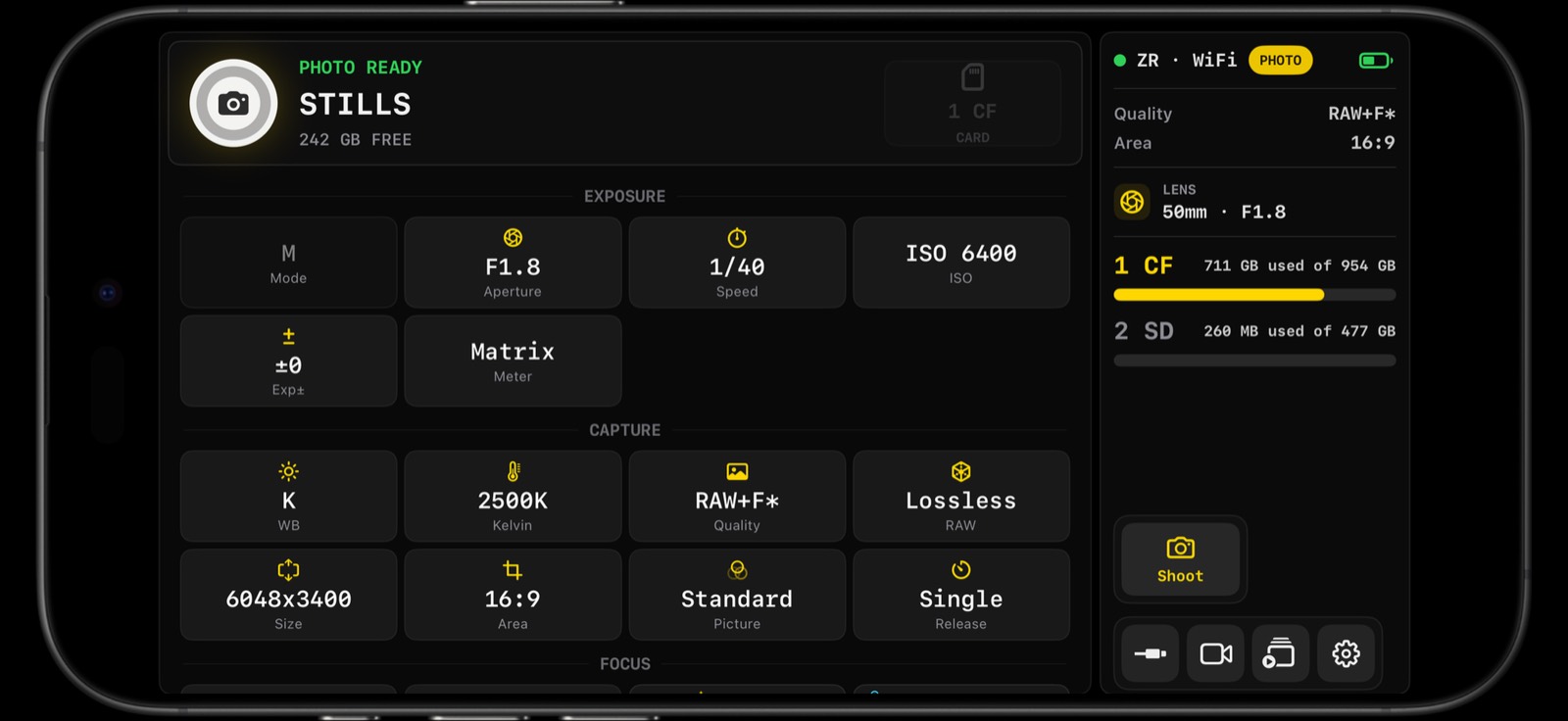
Stills mode brings photo capture and camera control into the same mobile workflow.
For photo shooters, the review and bulk export workflow is one of the features that makes the app feel essential. You can use the camera-card gallery to review thumbnails, inspect captures, filter media, select keepers, and bulk-select photos for faster export or handoff where supported by the camera, file type, mobile device, and connection path.
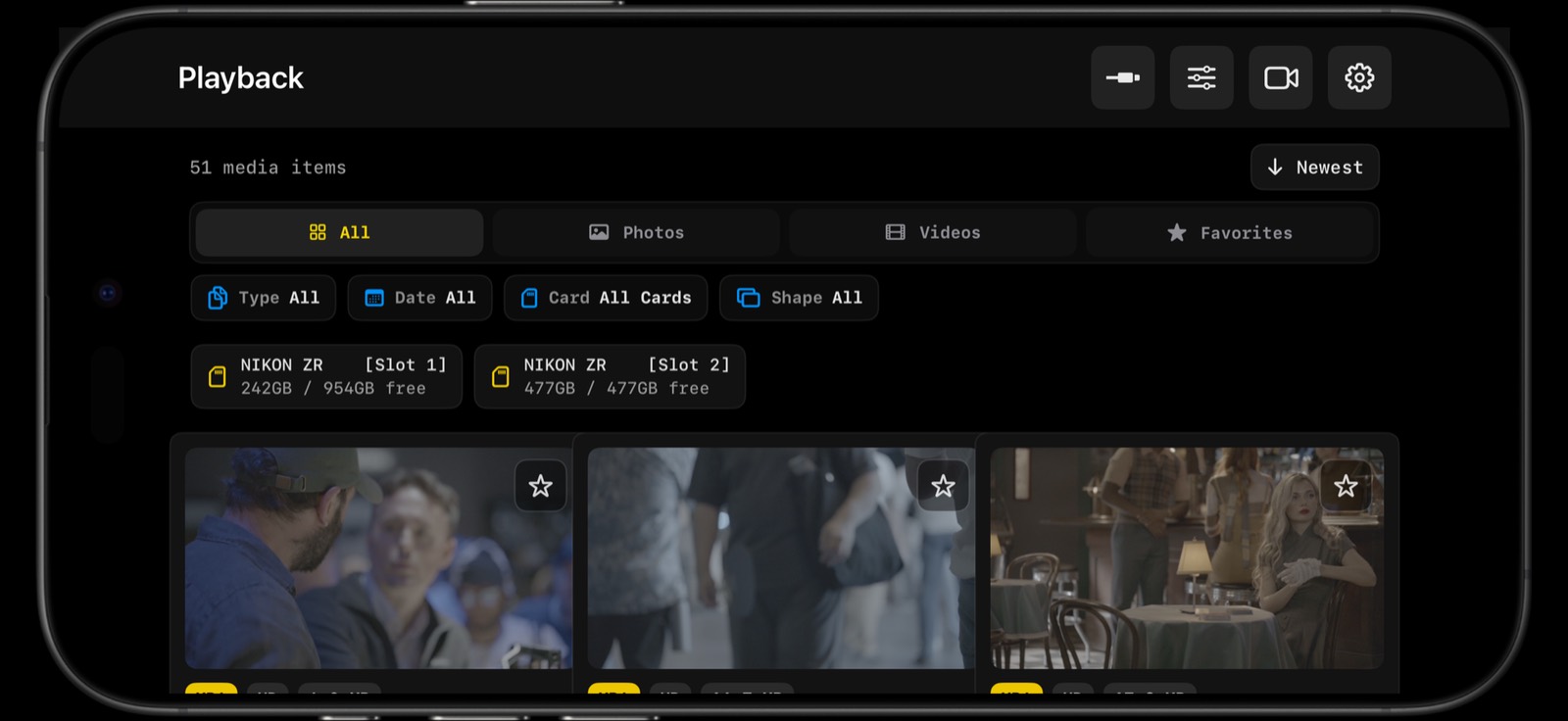
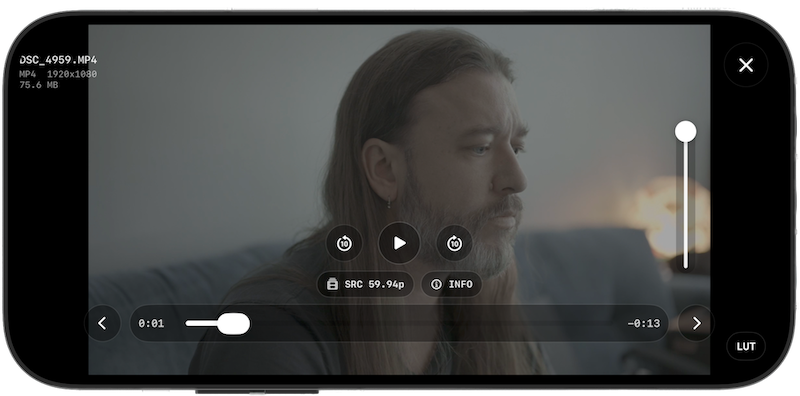
Playback and review tools let you browse camera media, check takes, select files, and move faster between capture and delivery.
That field review surface is a big deal. A Nikon Z shooter might need to check focus on a portrait, send a still to a client, review a take before moving lights, pull a reference frame, or confirm that a second camera got the shot. Parallax Monitor and ZR Ctl keep that workflow close to the camera, which is exactly where you want it.
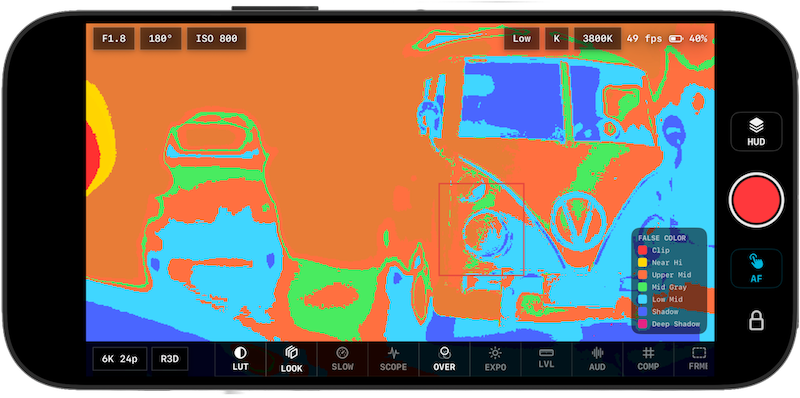
The exposure tools are another reason the apps feel purpose-built for serious Nikon work. You get the expected monitoring tools such as waveform, histogram, zebras, false color, LUT preview, focus peaking, framing guides, anamorphic desqueeze, level, and audio meters. Then the app adds fast-read exposure aids that are designed for people who are actually shooting, not just looking at a spec sheet.
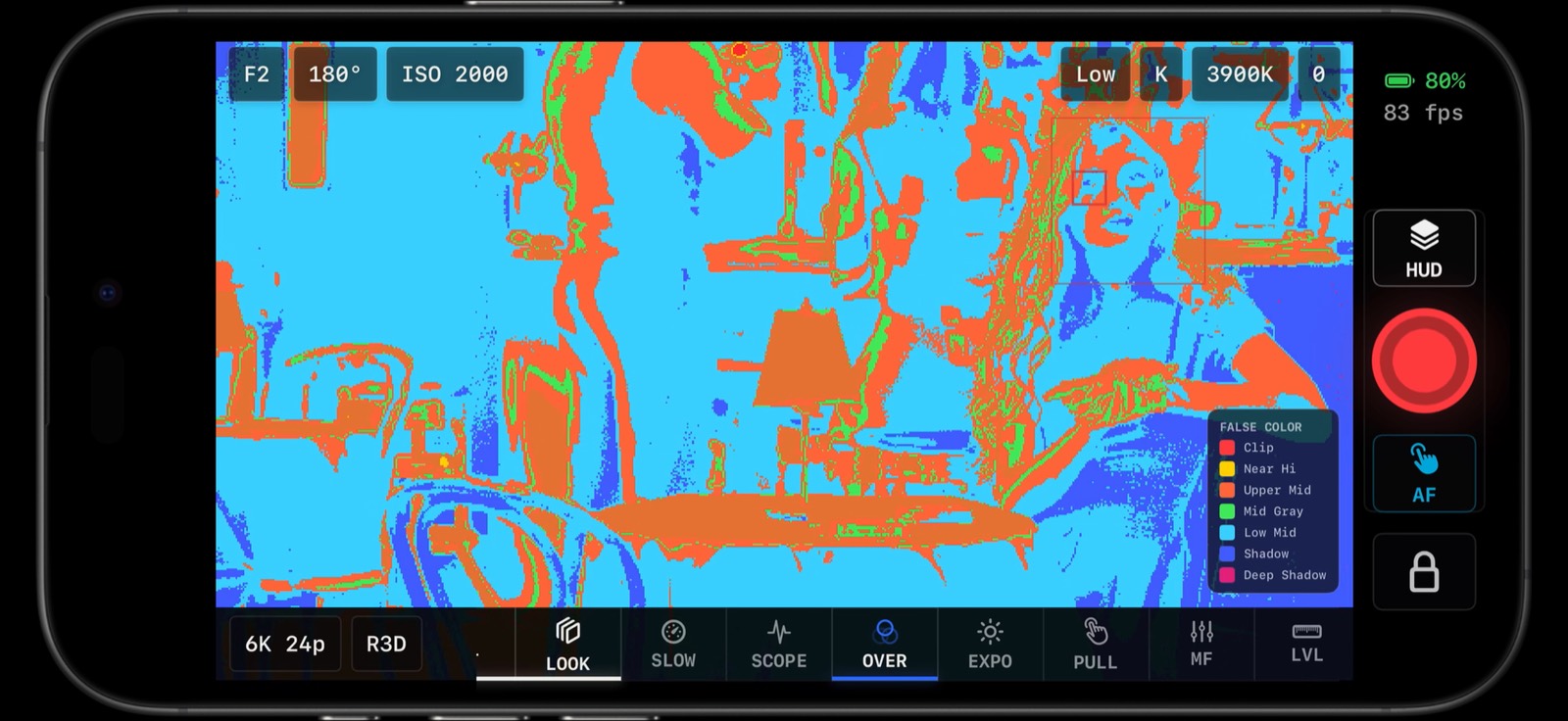
X-Zone false color gives Nikon Z shooters a fast, practical way to judge exposure on a phone or tablet monitor.
X-Lights are built for quick exposure confidence. They give you an immediate read on highlight and shadow pressure while you keep looking at the image. They are especially useful when you are moving fast, riding exposure, lighting a scene, or trying to keep a compact setup clean without adding more dedicated monitoring hardware.
X-Zone false color is the other standout. It gives Nikon Z shooters a practical zone-style false-color view for judging exposure in a way that is fast, visual, and easy to read on set. Combined with waveform, histogram, zebras, and LUT preview, X-Zone makes the phone or tablet a much more serious exposure tool than a basic live-view remote.
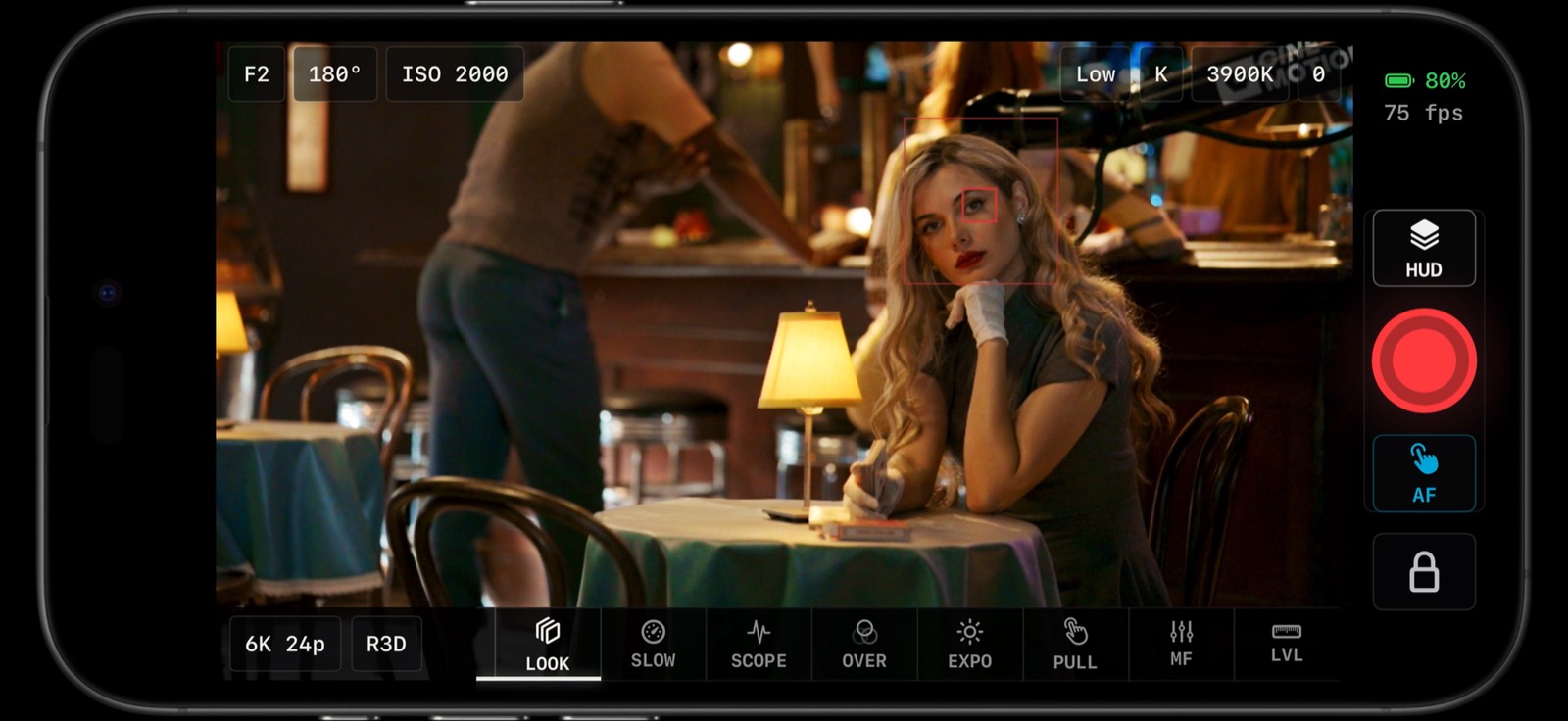
LUT preview and look monitoring help you judge the image creatively while keeping exposure tools close.
LUT monitoring matters because many Nikon Z shooters are not just capturing clips, they are trying to protect a look. Being able to preview a creative LUT while still watching exposure, focus, framing, audio, and camera status makes the app feel more like an operator monitor than a remote app.
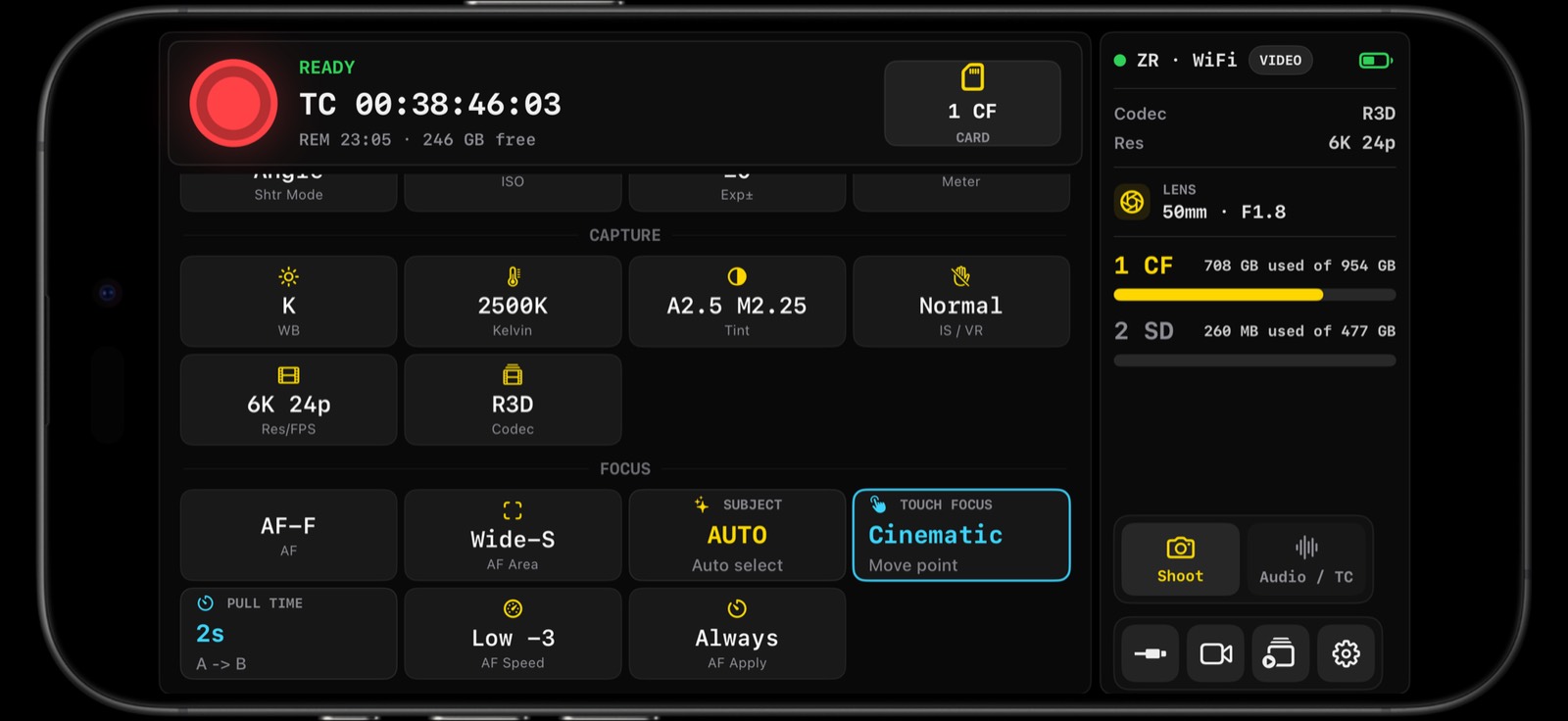
Focus tools, focus boxes, tap focus, and monitoring aids are part of the same operator surface.
Focus and framing tools round out the package. Where supported, you can tap the live view to move focus, trigger AF, work with AF mode and AF area settings, and keep focus boxes visible while you stay in the monitor. Composition tools include safe areas, cinema aspect ratios, vertical and social framing, custom guides, matte controls, guide opacity, and multi-guide workflows.
That is why Parallax Monitor and ZR Ctl are so easy to recommend to Nikon Z-series shooters. They help with the things that actually slow you down on set: controlling the camera, matching bodies, rolling multicam, shooting stills, reviewing media, exporting photos, checking exposure, previewing LUTs, pulling focus, and keeping the shoot moving.
Compatibility varies by camera model, firmware, mobile device, OS version, media format, and connection path. The apps are ZR-first, with compatibility work across other Nikon Z bodies where real testing supports it. Some bodies expose deeper controls than others, and some features depend on what the camera and platform make available.
But the bottom line is this: if you are shooting Nikon Z, this is one of those tools you want installed before the next shoot. For multicam control, stills mode, photo bulk export, review, LUT monitoring, X-Lights, X-Zone false color, focus tools, and deep Nikon Z camera control, Parallax Monitor and ZR Ctl make a phone or tablet earn a real place in your kit.
Note: Parallax Monitor and ZR Ctl are independently developed and are not affiliated with Nikon, RED, Apple, Google, or their subsidiaries.
If you have an interesting idea for a guest post, contact me here.
“THE Tether” is a new wireless Nikon tethering app built by a Photographer