How to Fix High ISO Noise and Enhance Low-Light Photos Without Losing Detail – Black Friday Special

High ISO settings are often unavoidable, even with Nikon’s modern Z series mirrorless cameras, DSLRs, and COOLPIX superzooms. Whether photographing distant wildlife, capturing indoor events, or shooting city streets after dark, raising ISO helps maintain a usable shutter speed. However, it can introduce visible noise, reduce fine detail, and affect color quality.
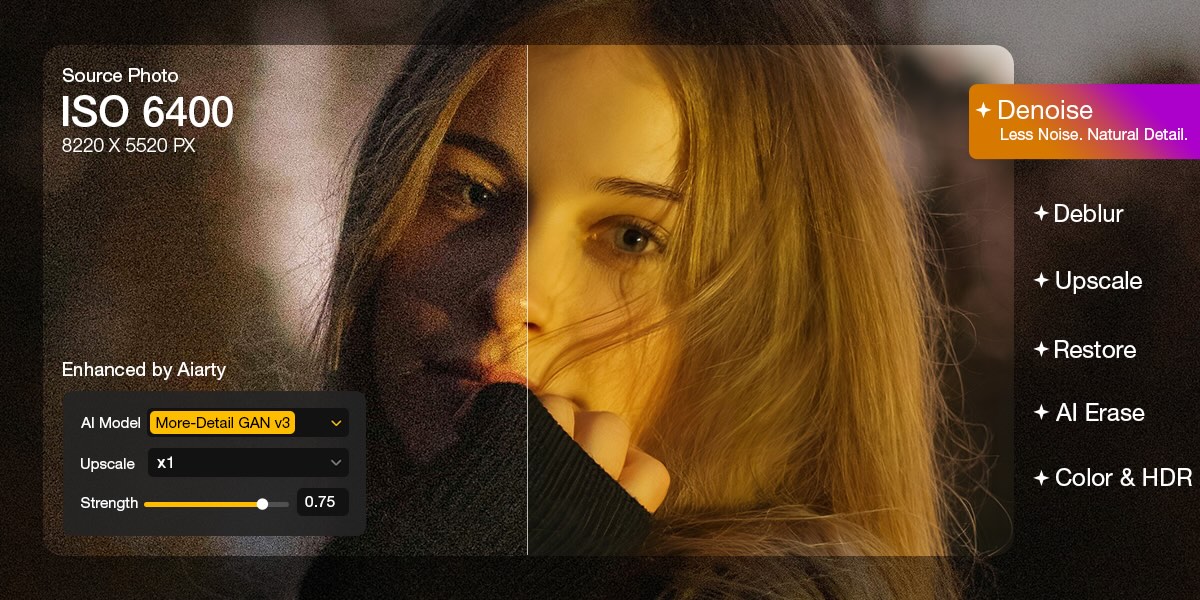
For photographers looking to reduce noise without sacrificing detail, Aiarty Image Enhancer offers dedicated noise reduction for high-ISO and low-light photos, helping retain natural textures and fine details. It also provides deblurring, detail enhancement, upscaling, face restoration, and color adjustment to further improve photo quality.
Black Friday Deal: Save Up to 49% on Aiarty Image Enhancer
Ahead of the holiday shopping season, the Aiarty Image Enhancer Black Friday Deal is now live! Use coupon code BF26-EXTRA at checkout to get up to 49% off a Lifetime License for multiple computers, plus 2 free bonus gifts. Enjoy a one-time payment with no recurring subscriptions and unlimited free updates.
Let’s see how Aiarty Image Enhancer handles noise and detail preservation across different real-world photo examples.
- Controlled Noise Reduction Without the “Plastic” Look
Nikon COOLPIX superzoom cameras such as the P950 and P1100 make it possible to photograph distant birds and wildlife without carrying a dedicated telephoto lens. However, shooting at the long end of the zoom range in dim conditions can be challenging. Their relatively small sensors and narrower maximum apertures at longer focal lengths may require higher ISO settings, introducing visible noise and reducing fine detail.
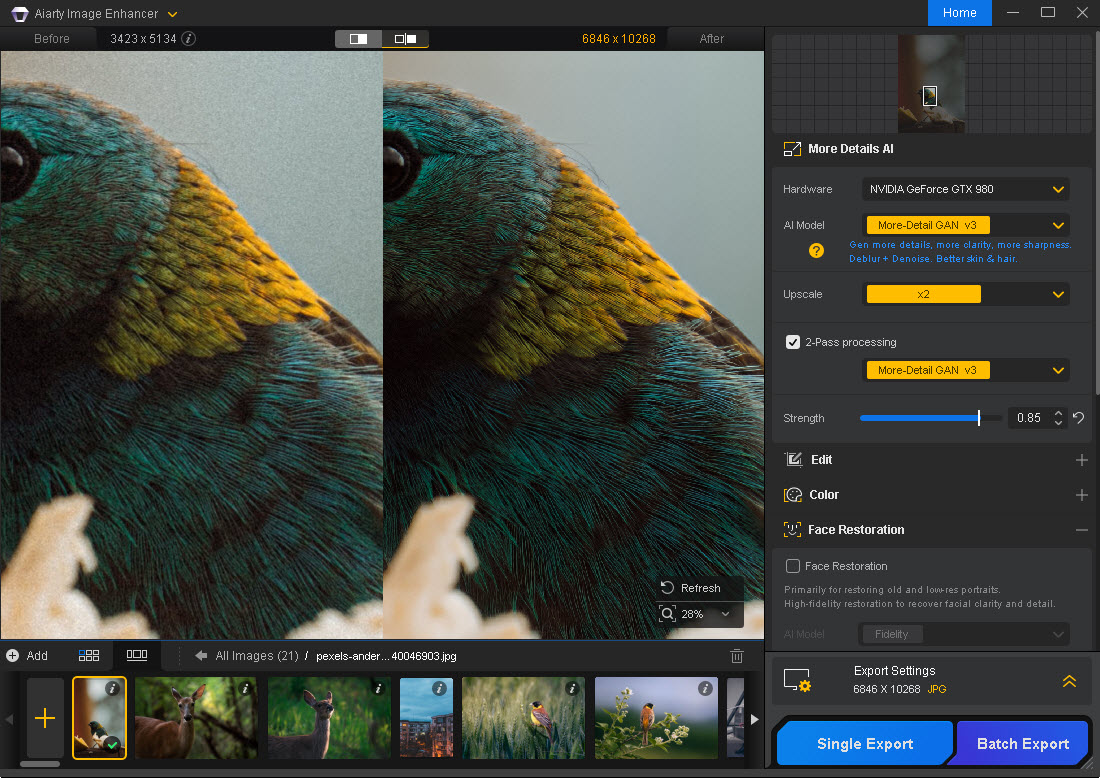
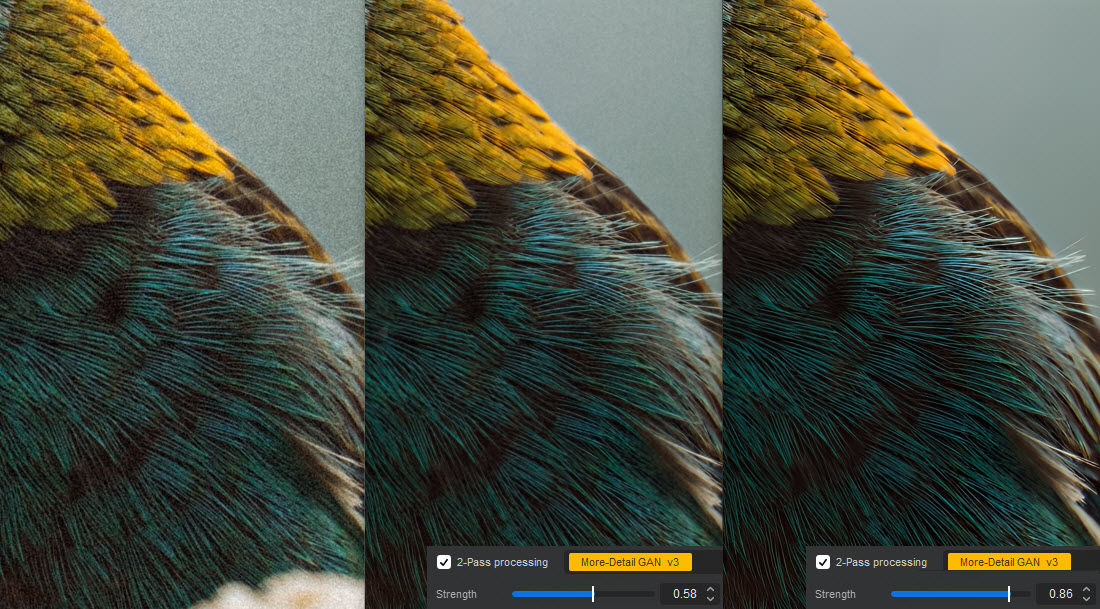
Aiarty Image Enhancer helps clean up distracting grain and color blotches without resorting to heavy-handed smoothing. It reduces visible noise while preserving edges, feather patterns, and other recognizable details, avoiding the waxy, plastic-like look of overly aggressive noise reduction.

The Strength Slider lets users adjust noise reduction, from retaining a little natural grain to achieving a cleaner image.

Read More »