
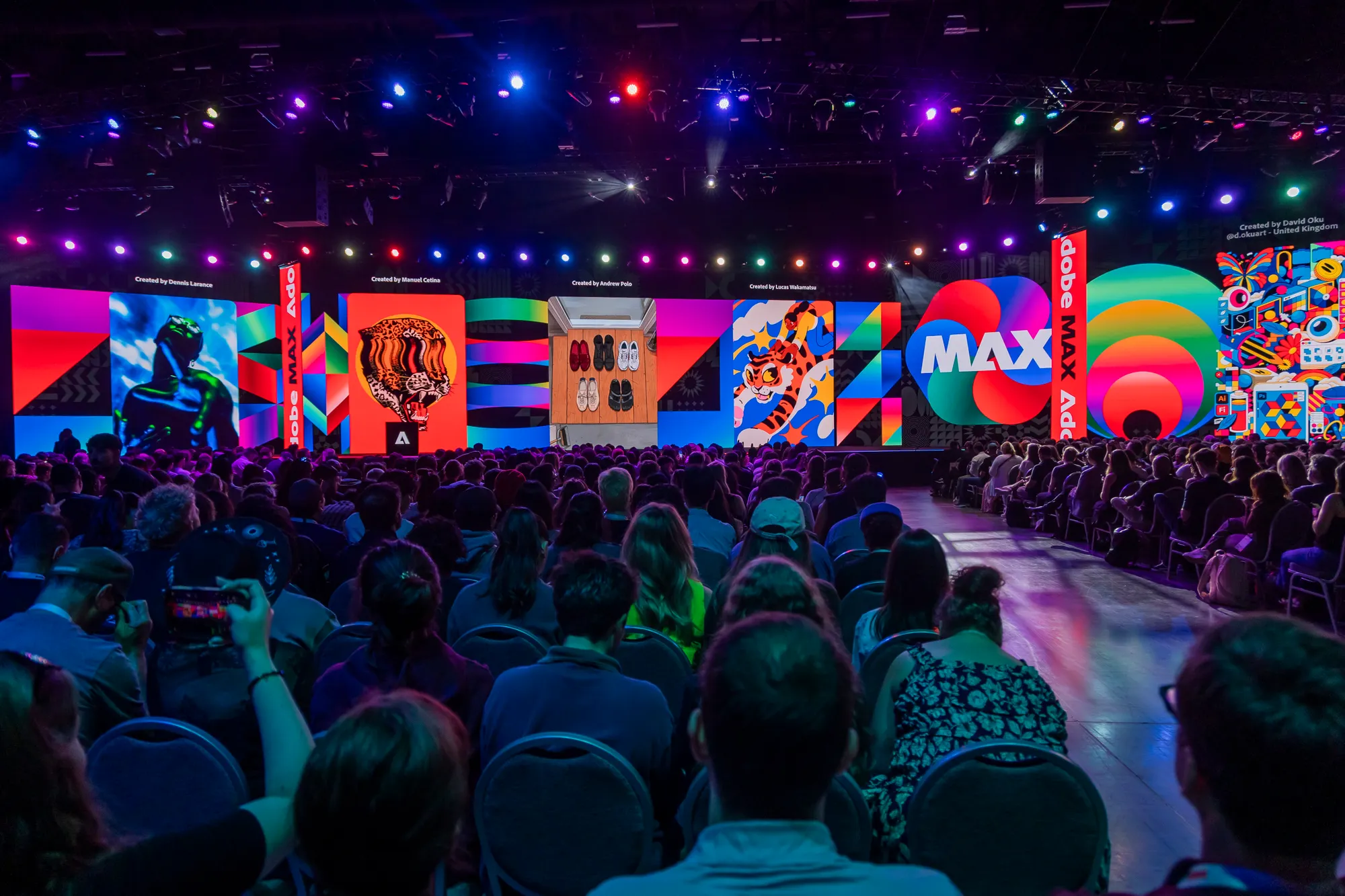
At Adobe MAX 2026 in Miami Beach earlier this month, Adobe made it clear where it stands on generative AI. Instead of treating it as a threat to the tools photographers and video editors already rely on, the company is embedding agents and AI features deeper into Photoshop, Lightroom, Premiere, and Firefly.
The message is straightforward: AI handles the repetitive work while the photographer or editor keeps the final say. Layers stay editable, sequences stay intact, and you can still step in and do it the old way. After more than 40 years of building photo and video tools alongside working creatives, Adobe’s approach is built around keeping those new features inside the software people already trust on tight deadlines – rather than asking anyone to gamble client work on untested alpha apps that still run into file-handling and stability problems.
 Agents in the apps

The biggest shift is the Adobe Creative Agent. It now powers AI Assistants (currently in public beta) in Premiere, After Effects, Illustrator, InDesign, Frame.io, and the Photoshop beta app. You describe a multi-step task in plain language – apply the same color grade across a sequence, track a subject and adjust exposure, or generate variations – and the agent works directly inside the native file.
Adobe tools are already reachable from ChatGPT, Claude (80+ tools), Gemini, and Copilot, and the company also previewed local Model Context Protocol (MCP) integrations. These would let third-party agents work directly on your local Photoshop, Illustrator, Premiere, or After Effects project files. Layers, bins, and sequences remain fully editable so you can take over at any point. A private beta is planned for early 2027.
Firefly’s AI Assistant is getting Plan Mode (review and approve the agent’s steps before it runs) and a Model Selector so you can pick which model handles a specific job. Always-on agents that handle recurring background tasks are also in preview.
Photoshop

The November update brought several practical tools into the main Photoshop app:
- Relight – Add up to three virtual lights, move them around the scene, and adjust color, intensity, and diffusion. Non-destructive.
- Generative Restyle – Describe a style change; it becomes its own layer with a slider so you can dial the strength up or down.
- Improved Remove tool that better reconstructs related elements like shadows and reflections.
- Quick Compare slider for before/after checks directly on the canvas.
- AI-Assisted Editor moved out of beta and into the main application.
Under the hood, Photoshop’s generative tools now tap into Firefly Image Model 5 (which generates at native 4MP) alongside GPU-accelerated compositing. Adobe also recently optimized Photoshop, Premiere, and Substance 3D for NVIDIA RTX Spark, claiming up to 2x faster AI processing. Just as important for working photographers, complex layered PSD, PSB, TIFF, and HDR files continue to open and save reliably across versions and handoffs – something several newer Photoshop alternatives still have mixed results with. Cloud Documents also let you pick up the same layered file across Windows, Mac, web, and mobile with automatic version history.
Still in the separate Photoshop beta app: Camera Angles (explore new viewpoints), Generative Recompose (reframe while trying to hold composition), Mockups, and the full AI Assistant.
Lightroom

Lightroom Classic 16.0, Lightroom Classic 16.0, and Camera Raw 19.0 added:
- Focus Points display (Lightroom Classic 16.0) – View active autofocus points directly on RAW files from compatible Nikon, Canon, and Sony cameras without bouncing out to NX Studio or a third-party plugin.
- AI Depth Maps – Generate a depth map even when a Nikon NEF file has no embedded depth data. Useful for selective adjustments and background separation.
- Glow – Soft, cinematic effects including Bloom, Halation, and Diffusion styles. Can be applied globally or limited to a mask.
- Blemish Removal – One-tap detection of temporary blemishes with separate controls for natural marks like freckles and moles, plus brush refinement.
- Open Eyes (Early Access / public beta) – Uses a reference photo of the same person to correct closed eyes. Available in Lightroom desktop and mobile (not Classic yet).
- Tethered shooting support expanded to Lightroom desktop and iPad.
Adobe also continues to work directly with camera manufacturers including Nikon, Canon, and Sony to get new camera RAW support and lens profiles out quickly. On the workflow side, AI-assisted culling is aimed squarely at high-volume portrait, event, and wedding shoots, letting photographers narrow down hundreds of frames in seconds instead of checking every shot manually.
Premiere

The latest Adobe Premiere update includes:
- Color Mode is now generally available in Premiere 27.0 – a dedicated grading workspace.
- Generative Media tools live in the timeline: generate video, sound effects, soundscapes, or music using Firefly or partner models (Google Veo, Kling, Runway, Luma).
- Audio tools: Enhance Audio, Separate Crosstalk (splits overlapping speakers into separate tracks), and Separate Sound Source.
- Generative Remove (beta) – Mask and remove objects (boom mics, logos, background distractions) directly on the timeline.
For hybrid Nikon and RED shooters, Premiere natively edits footage from Nikon (including N-RAW), RED, ARRI, Sony, Canon, and Panasonic – including REDCODE RAW, ProRes RAW, ARRIRAW, Sony XAVC/X-OCN, and Canon Cinema RAW Light – with hardware-accelerated playback on the latest NVIDIA GPUs. Sequences still move cleanly through AAF, XML, and EDL for collaborators, and Frame.io Drive with Mounted storage lets teams stream media directly to the desktop without downloading, syncing, or juggling duplicate versions.
Firefly and experimental work

Firefly continues expanding beyond pure generation into a broader AI studio covering image, video, audio, vector, and 3D, with Design and Graph tools (both in beta) and a wider choice of third-party models so you can pick the right model for the job. Content Credentials are also included by default on Firefly outputs.
At the MAX Sneaks session, Adobe’s research group (a team of 350 researchers and research engineers with 435 technical publications in 2026 so far) showed experimental projects relevant to photo and video work. Two are already available as research previews in the Adobe Labs Playground:
- Project Deep Brush – Brushes that understand surface shape, color, and lighting.
- Project Hands On – On-canvas controls that let you drag and reshape objects instead of only prompting.
Other Sneaks include Scene Sweep (apply an edit consistently across multiple shots and angles), Sight Span (turn a single photo into a navigable 3D space), and tools for character development and timing control in generated video.
What this means for Nikon shooters

If you shoot with Nikon Z bodies – especially high-speed or high-megapixel cameras like the Z8, Z9, or Z6III – the biggest day-to-day gains are in the tools shipping right now rather than the experimental agent demos:
- Faster burst and event workflows – High frame rates mean more frames to sort. Pairing AI-assisted culling with Lightroom Classic 16.0’s new native Focus Points overlay lets you verify where AF actually locked on NEF files and narrow down shoots much faster without leaving Lightroom.
- Better control over NEF files – AI Depth Maps work directly on standard Nikon RAW files without needing smartphone depth data, making selective background darkening, atmospheric Glow, or subject separation quick and non-destructive.
- Less manual cleanup in portraits and studio work – Relight, Blemish Removal (which leaves natural marks like freckles alone), and the updated Remove tool cut down repetitive retouching while keeping your layered PSD, PSB, TIFF, and HDR files intact.
- Cleaner Nikon and RED hybrid video pipelines – With native N-RAW, REDCODE RAW, and ProRes RAW support already in Premiere alongside the new Color Mode, audio cleanup tools, and NVIDIA GPU acceleration, hybrid Nikon shooters can cut, grade, and hand off projects via AAF, XML, or EDL without transcoding everything first.
- Fast camera and Z-mount lens support – Adobe’s direct work with Nikon means new bodies and lenses get native RAW support and profiles quickly, so you are not stuck waiting on workarounds after a new release.
Practical takeaway
None of this replaces the need for good files, good light, or a clear idea of what you want. The tools shipping now (Relight, Generative Restyle, Lightroom depth maps, focus points, blemish removal, and Premiere Color Mode) aim to speed up common tasks while leaving the original pixels and structure intact. The agent features and local MCP integrations are still mostly beta or preview, so the usual caution applies.
Adobe is betting that the path forward is making AI useful inside the applications people already know, rather than forcing a complete switch to something new. Between cross-platform support (Windows, Mac, web, and mobile), ongoing hardware work with Apple, Microsoft, and NVIDIA, and clear policies around file ownership and security – backed by dedicated security teams like Adobe’s Cyber Defense Center and PSIRT – the pitch is that your existing files and workflows stay intact. Whether that bet pays off will depend on how well the results hold up on real work and how much control users retain. For now, the updates are available in Creative Cloud and the direction is clear.
Additional links:
- Photoshop: What’s new | Release notes
- Lightroom: Classic & Desktop | Release notes | Fixed issues
- Camera Raw: What’s new | Release notes | Supported cameras & lenses
- Premiere: What’s new | Release notes
- What’s new in Creative Cloud
- Adobe Express updates
- The latest from Adobe Labs
Adobe Lightroom and Adobe Photoshop Elements are currently on sale at B&H Photo. Also check out the Adobe Black Friday deals:

Adobe recently purchased Topaz Labs – see also the Topaz Labs Black Friday offers: