Aiarty Image Matting streamlines background removal in photography workflows
Modern Nikon cameras like the Z8, Z9, and the legendary D850 capture incredible detail, with every hair strand, feather, and fine texture rendered sharply. But that level of resolution also makes post-processing more demanding. Tasks like background masking quickly become tedious when you’re zoomed in at 100%. Tools like Aiarty Image Matting can help streamline this process, offering AI-assisted background removal that saves time without compromising detail.
Aiarty Image Matting is available to NikonRumors readers through the exclusive offer of up to 43% off, along with multiple added benefits:
- Works on up to 3 Windows or Mac computers
- Unlimited access to all features
- Permanent free upgrades and tech support
- No subscription, no recurring cost
The Toughest Parts of Background Removal for Photographers
Background removal sounds easy until you try it on real images. Wedding portraits with flowing hair and veils, wildlife shots full of fine feathers, or product photos that need perfectly clean backgrounds all have tricky edges and semi-transparent elements.
Anyone who’s traced hair with the Pen Tool or refined masks in Photoshop knows how slow and tedious it can be, and how time-consuming, especially in batches. Even some AI background removing tools leave white fringes, halos, or jagged edges.
It’s no surprise many photographers ask: Is there an app that can remove backgrounds from photos without hours of manual masking? Certainly, AI background removers like Aiarty Image Matting can remove backgrounds from photos without hours of manual masking.
How Aiarty Image Matting Fits Into a Photographer’s Workflow
AI background removal tools have improved significantly in recent years, and Aiarty Image Matting focuses specifically on challenges photographers face.
Accurate Alpha-Matte for Challenging Elements
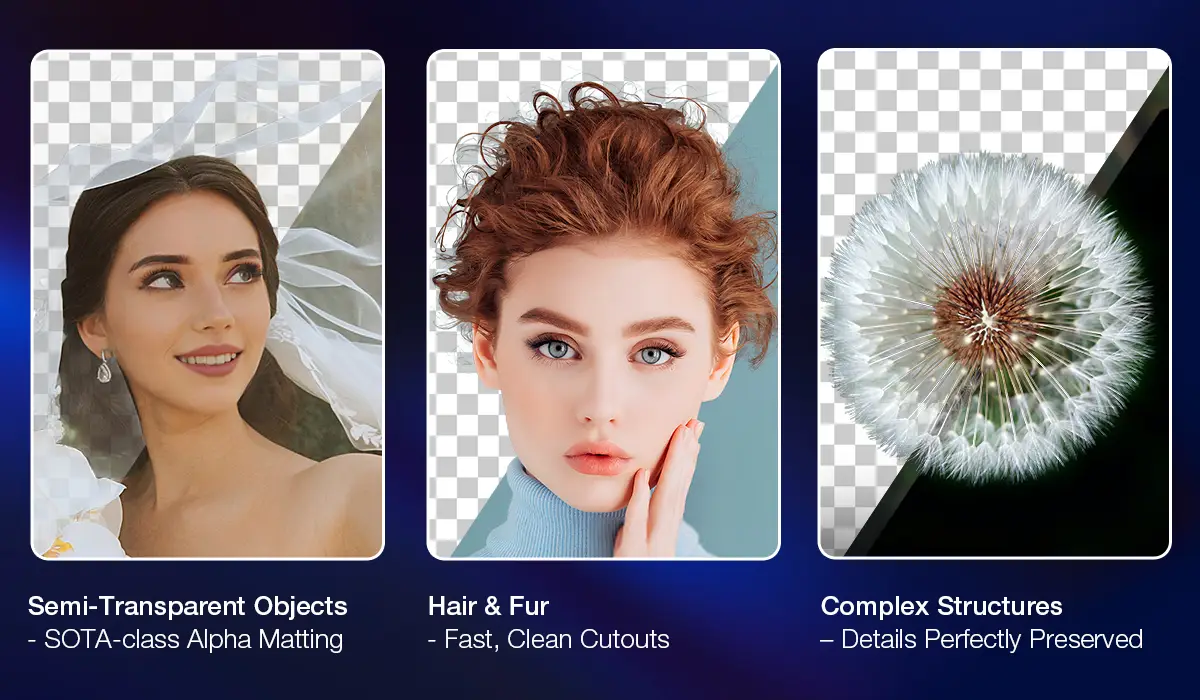
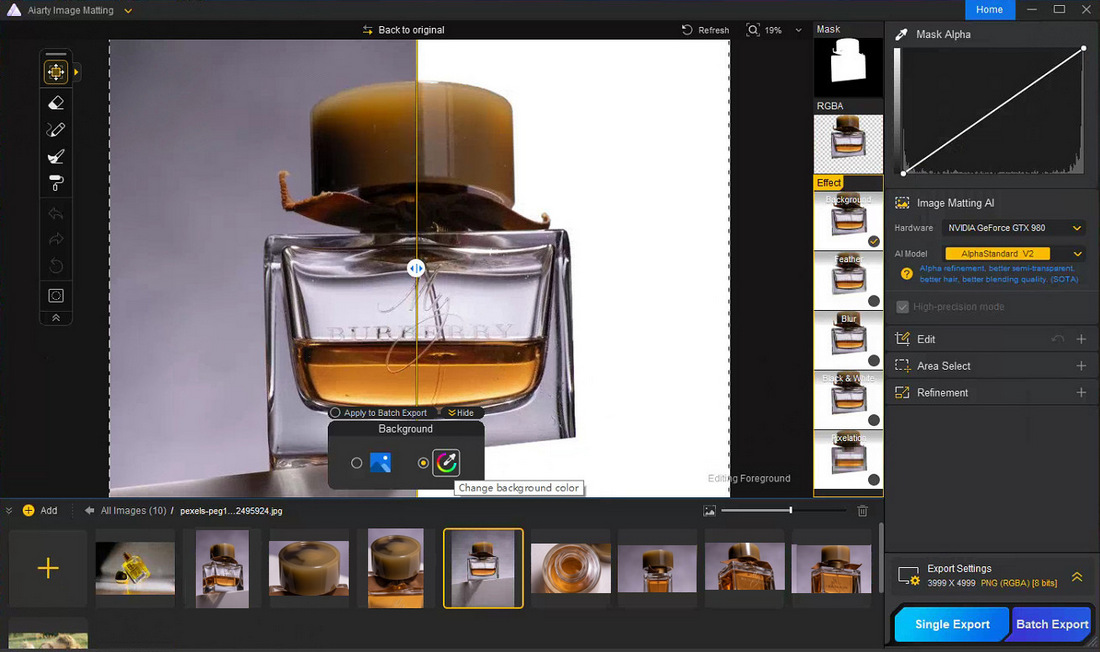
Unlike basic masks that produce only solid black-and-white selections, Aiarty Image Matting creates a detailed alpha matte that preserves semi-transparent edges, capturing flying hair, fine fur, glass, or complex borders. This ensures smooth, natural separations with retained detail and edge fidelity.
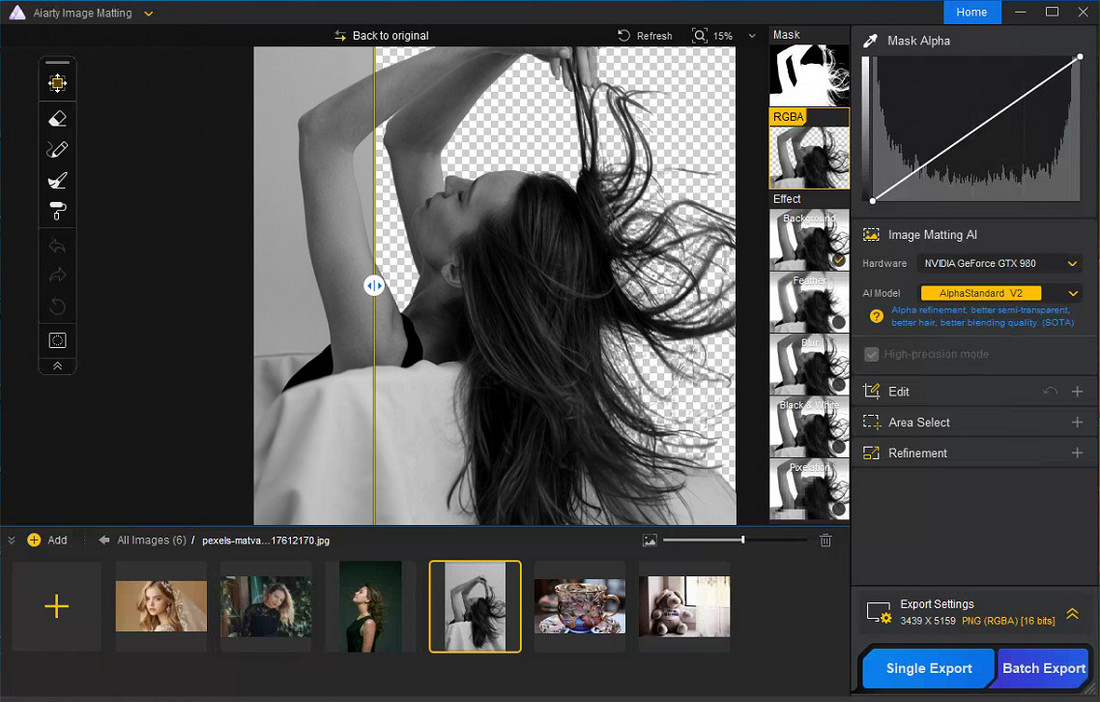
Seamless Background Replacement with Fine Control
Once the subject is isolated, photographers can quickly replace the background for promos, social posts, or product shots. Aiarty Image Matting not only allows fine-tuning of selection edges and feathering, but also supports manual adjustments, for example using erase and restore tools to fix specific areas, or dodge and burn techniques to refine local transparency. This ensures the subject blends naturally with the new background.
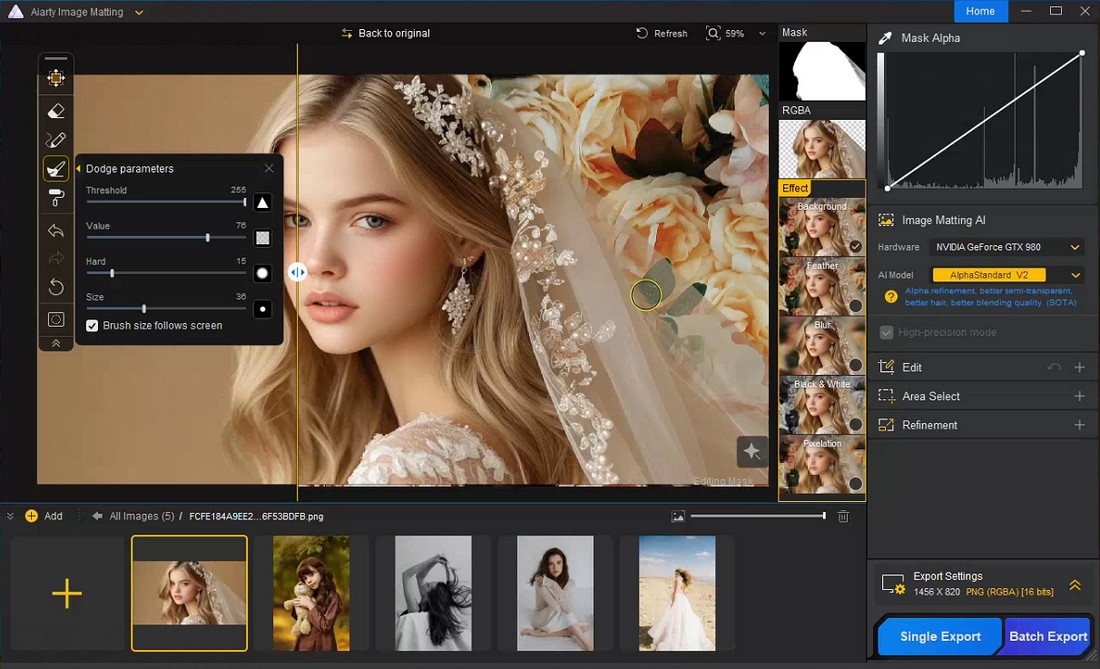
Batch Processing for Large Photo Sets
Photographers handling product catalogs, e-commerce images, or event coverage often face the challenge of preparing many images with similar backgrounds. Which AI image background remover is strong enough for batch-creating transparent PNGs with clean edges? Aiarty Image Matting meets this challenge by supporting batch processing of up to 3,000 images, allowing users to generate transparent PNGs or replace backgrounds across entire sets, saving time while maintaining consistent, professional-quality results.
Built-in Image Enhancer for Superior Photo Quality
Aiarty also includes an image enhancement module to clean up noise, sharpen edges, and bring out fine details. It’s especially useful for high-ISO shots, low-light portraits, or any situation where preserving texture, clarity, and dynamic range is critical.
Offline Processing for Privacy and Security
Another practical benefit for professionals is that the software works locally, so images don’t need to be uploaded to cloud servers. For commercial photographers or studios handling client work, keeping files offline helps protect privacy and maintain control over assets.
It supports common photography formats including RAW, TIFF, JPEG, and PNG, making it easy to integrate into existing workflows with tools like Lightroom or Photoshop.
Pixels in Focus: Real Photography Challenges Solved
AI background removal proves especially useful in challenging photography scenarios. We tested Aiarty Image Matting on situations that typically challenge Nikon users.
Portrait and Wedding Photography
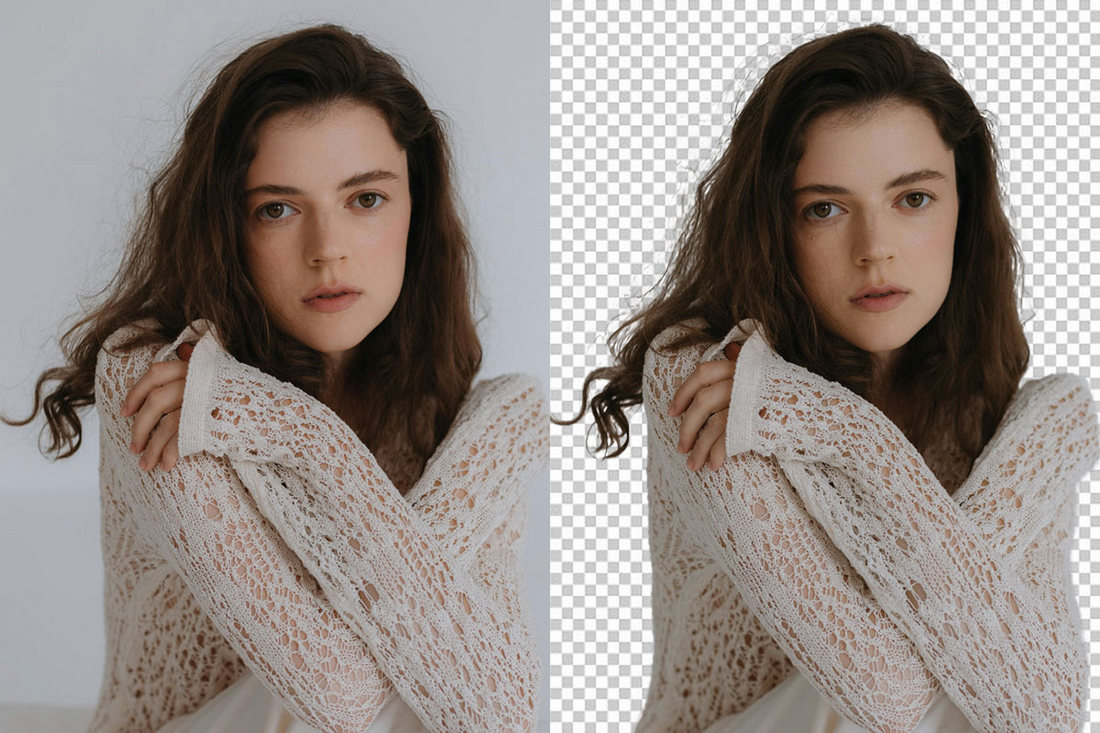
Hair, veils, and soft fabrics are some of the hardest details to mask manually. Aiarty can reduce the time required to isolate subjects while keeping edges natural, preserving fine textures and subtle transparency.
Product Photography
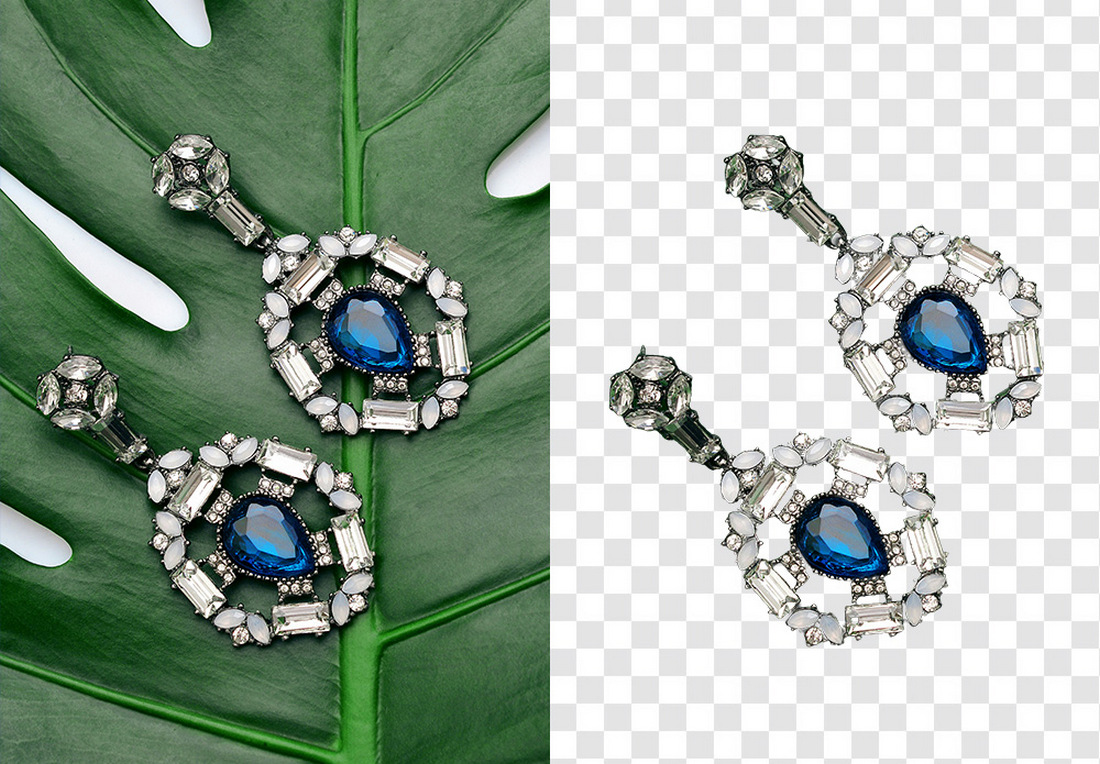
For e-commerce work, photographers frequently need clean white backgrounds or transparent PNG files. Batch processing allows entire product catalogs to be prepared quickly and consistently.
Wildlife Photography
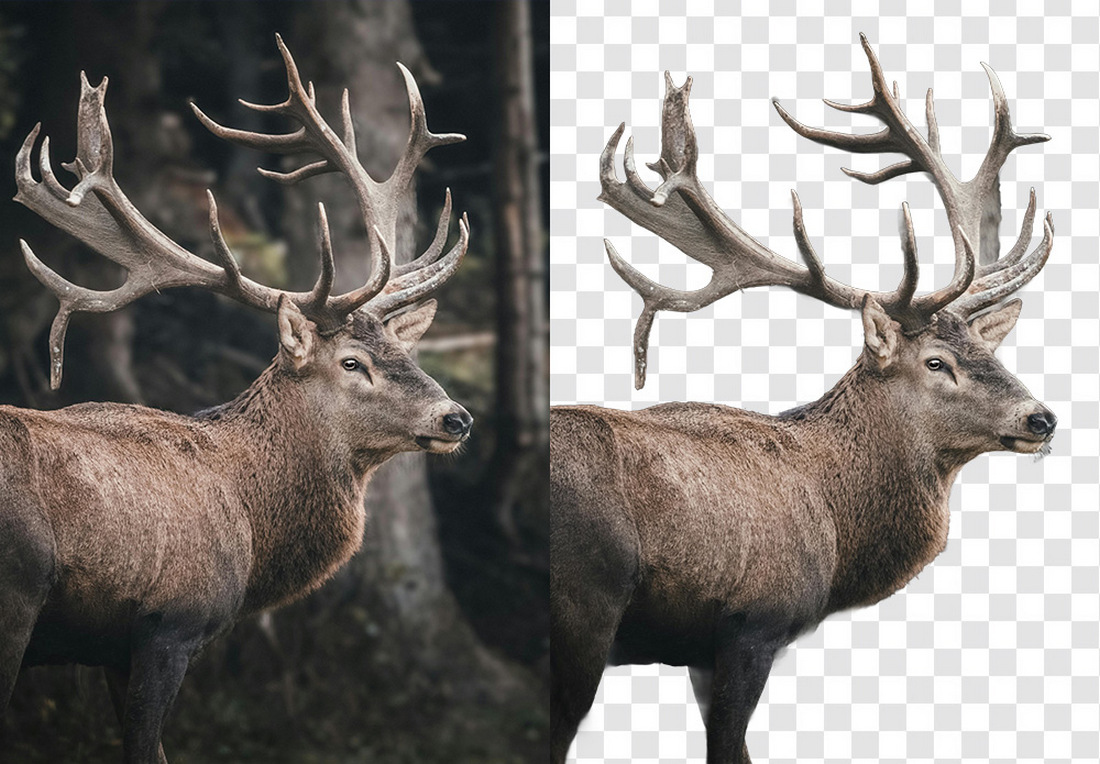
Birds and animals often have thousands of tiny feather or fur details that are extremely time-consuming to mask manually. AI-assisted matting helps maintain edge fidelity and texture while speeding up workflow.
Final Thoughts
AI tools don’t replace professional editing skills, but they can handle repetitive tasks like background masking efficiently. For photographers who regularly isolate subjects, replace backgrounds, or create transparent images, AI-assisted tools can save significant time while preserving image quality and detail.
If you’re curious to try it yourself, NikonRumors readers can access an exclusive offer for Aiarty Image Matting. For photographers who spend a lot of time refining masks and backgrounds, this tool can be a practical addition to the workflow.