Improve Nikon Photo Quality Easily with Aiarty Image Enhancer
You know the feeling well. Even with Nikon cameras like the Z8, Z6 II, or D850, real-world shoots such as dimly lit concerts, fast-moving street scenes, and backlit portraits still bring familiar challenges. High-ISO noise, slight motion or focus blur, underexposed shadows, and older photos that no longer meet today’s standards are all common issues.
The fault isn’t your camera. It’s the brutal constraints of physics and the uncompromising nature of the decisive moment. Low light, lens limitations, inevitable camera shake, and chaotic environments create a gap between the image you envisioned and the RAW file on your card.
Traditional tools like Lightroom and Photoshop offer powerful control, but refining difficult images often requires careful balancing and multiple fine adjustments. The results can be excellent, yet the workflow is rarely fast or straightforward.
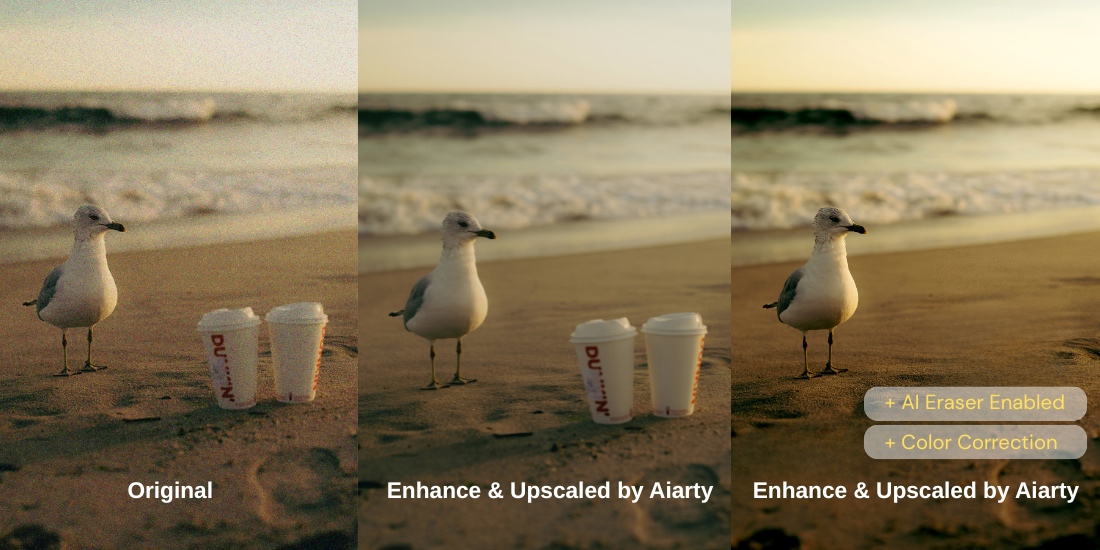
Aiarty Image Enhancer makes photo enhancement more efficient for Nikon users. It allows you to process multiple images at once and produces results that remain natural, without the overly processed “AI” or plastic look. Everything runs entirely offline, so your files stay on your own device throughout the workflow. With these capabilities, Aiarty not only saves time but also ensures high-quality results for both modern digital files and older images. Below, we explore the specific features that make Aiarty a practical tool for Nikon photographers.
Exclusive Offer: Get Aiarty Image Enhancer with Time-Limited Discounts
Right now, NikonRumors readers can save up to 49% on Aiarty Image Enhancer lifetime copy, with full lifetime benefits including:
- Lifetime license works on 3 Windows or Mac computers
- Unlimited access to all features
- Permanent free upgrades and technical support
- No subscription, no recurring cost
- 30-day money-back guarantee
Extra time-limited saving: During checkout, enter coupon code NYSPECIAL to get an additional $5 off on top of the discounted price. This extra savings campaign ends on January 31.
Denoise Low-Light and High-ISO Photos with Natural Details
High ISO settings, indoor events, night landscapes, or dawn wildlife shoots often introduce visible noise, grainy shadows, color speckles, and subtle loss of fine detail. For photographers who rely on pixel-perfect results, noise can significantly affect prints, client deliveries, or portfolio quality.
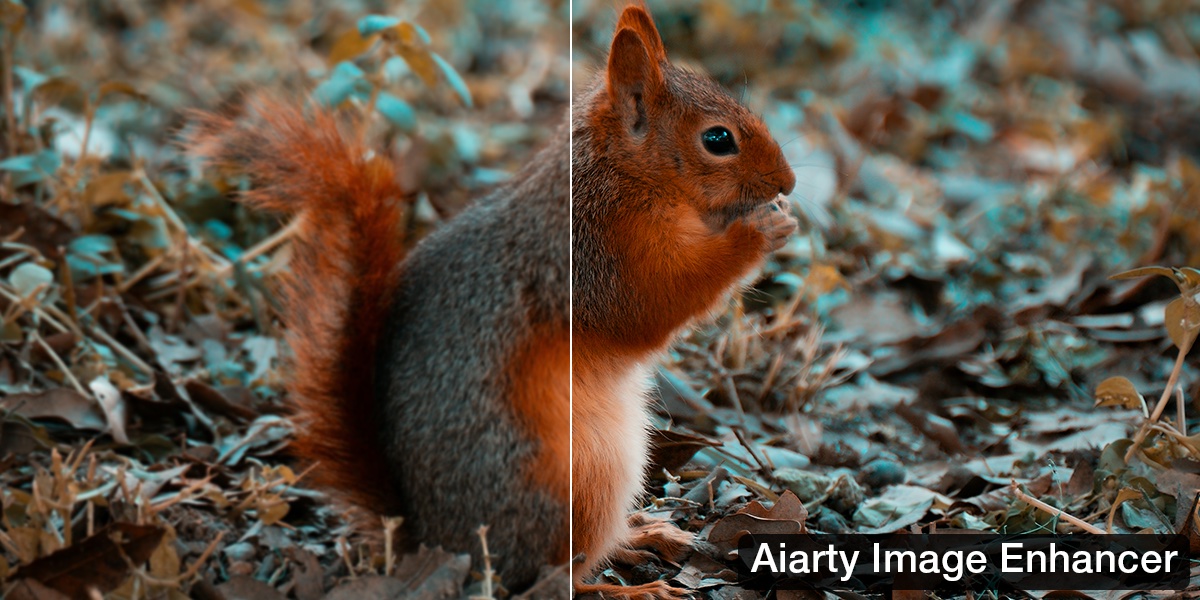
Aiarty Image Enhancer tackles this issue with advanced AI-driven denoising, intelligently distinguishing between noise and true image details. Unlike traditional noise reduction, which can smudge textures or flatten images, Aiarty preserves the natural look of fine details, ensuring images remain realistic and detailed.
- Natural detail preservation – Skin, foliage, fabrics, feathers, and architectural textures stay realistic.
- Adjustable denoising – Choose ultra-clean results or retain subtle grain for artistic effect.
- Print- and client-ready output – Shadows and details remain clean for large prints and professional delivery.
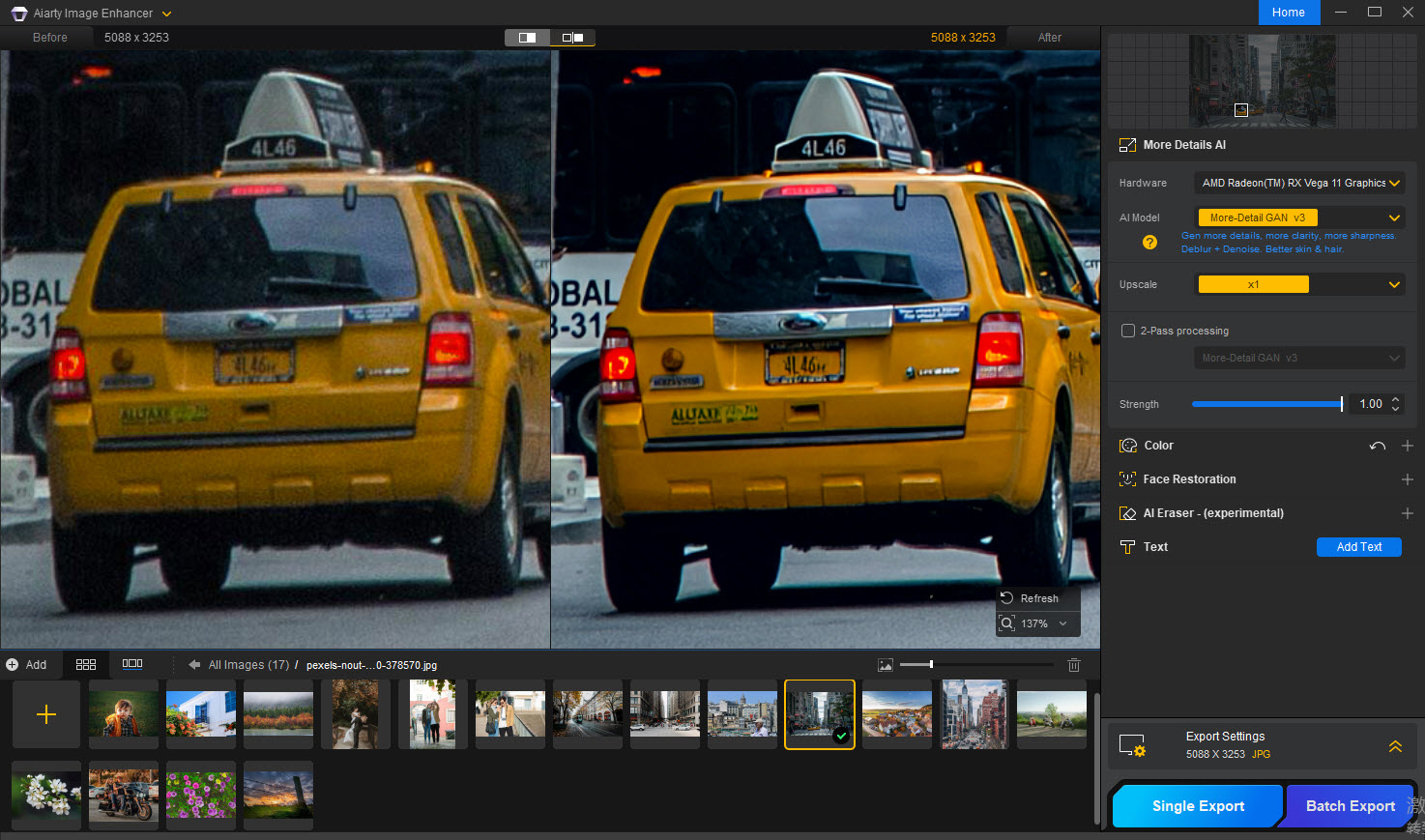
Restore and Fix Blurry Images Without Oversharpening
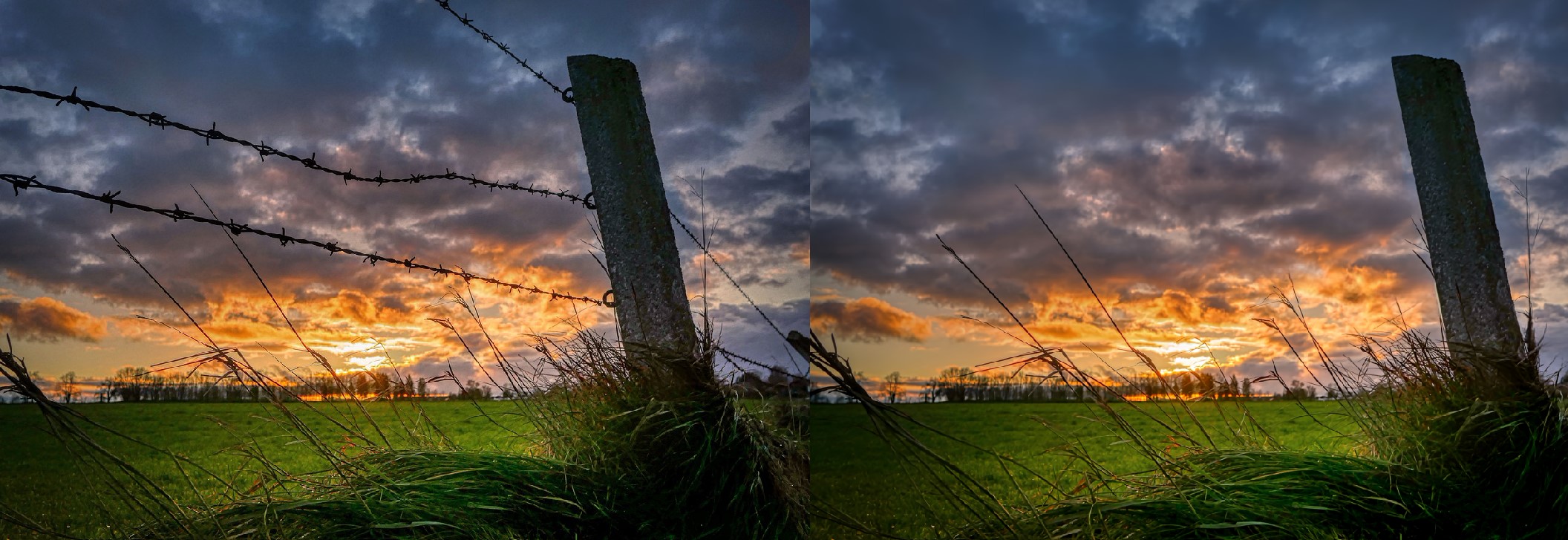
Blur can come from camera shake, missed focus, minor subject movement, or simply the limitations of older cameras, lenses, or scanned film. Aiarty Image Enhancer is highly effective at recovering details from blurry images, including both modern digital files and older photos that naturally lack sharpness.
Instead of relying on aggressive global sharpening, Aiarty intelligently rebuilds edges and micro-details, improving clarity while preserving natural texture. Fine elements such as facial features, hair, and architectural lines remain realistic, not harsh or artificially sharpened.
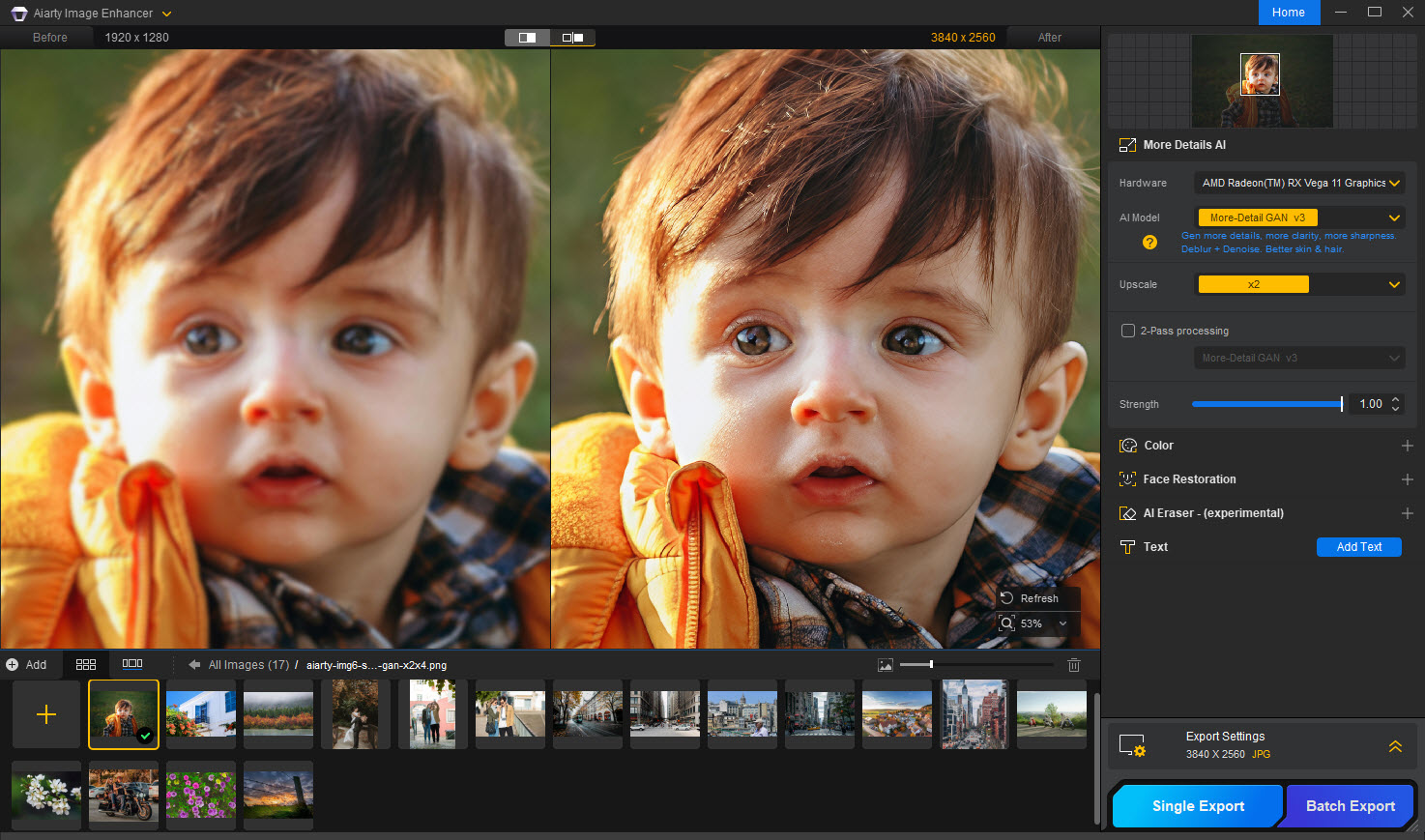
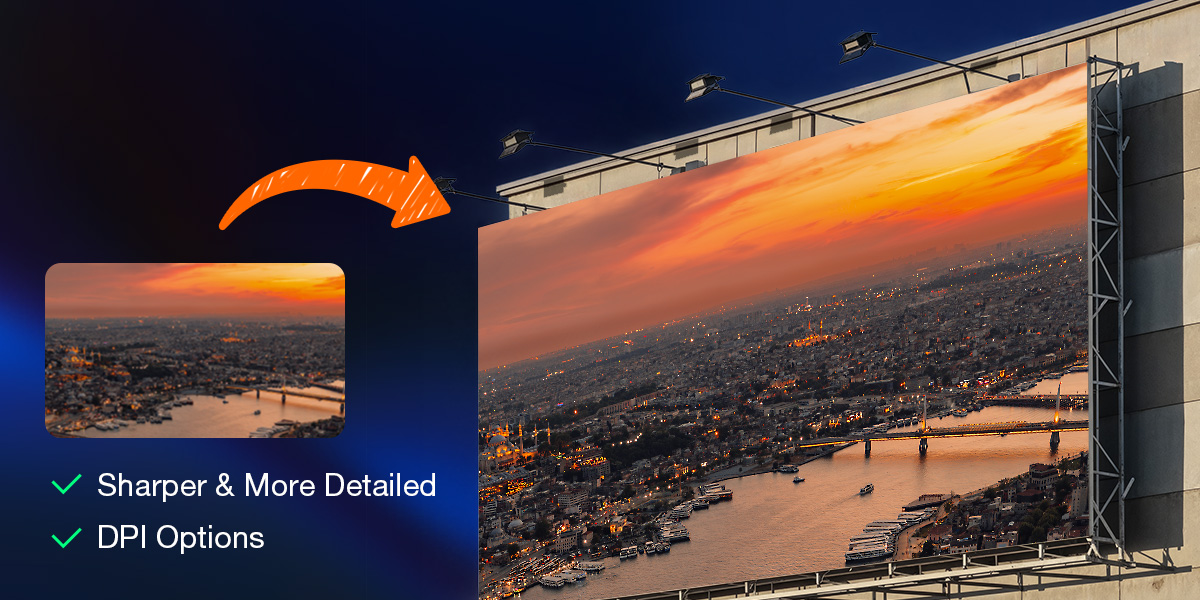
Upscale Photos for Cropping and High-Quality Printing
High-megapixel Nikon cameras already offer impressive flexibility, but there are situations where additional resolution remains essential, such as tight crops, large-format prints, or high-end client delivery. Aiarty Image Enhancer allows photographers to upscale images by up to 800% to 4K, 8K, and beyond while maintaining clean edges and realistic textures.
During the AI upscaling, Aiarty reconstructs detail intelligently, ensuring that fine lines, textures, and tonal transitions remain natural. For photographers who print their work, Aiarty also provides precise output controls, including custom DPI settings, making it easy to prepare images for gallery-quality prints, photo books, or exhibition-level output without extra guesswork.
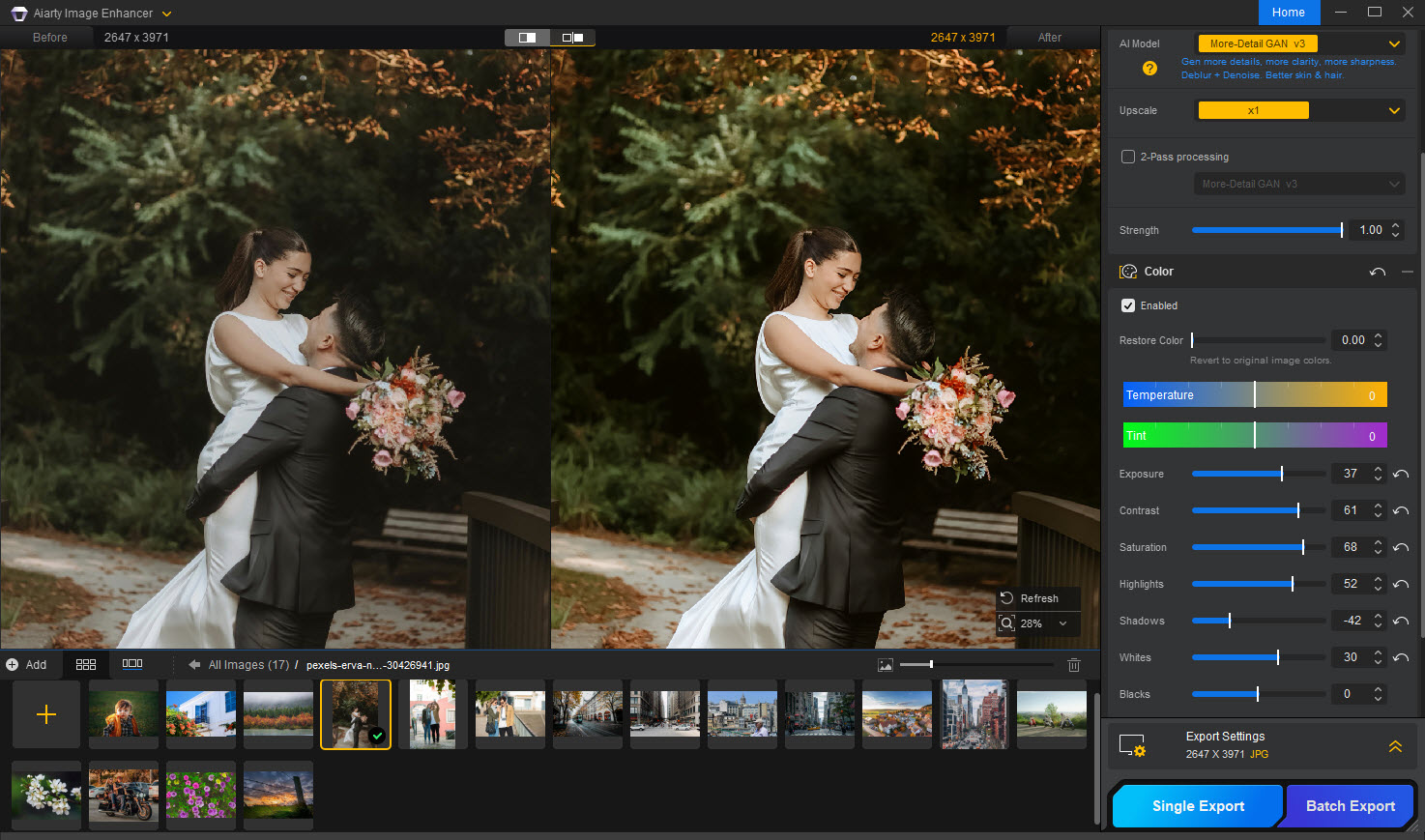
Restore True Colors in Your Nikon Shots
Aiarty Image Enhancer’s color adjustment allows Nikon photographers to enhance saturation, contrast, exposure, and other color settings without compromising the natural texture of your images. With this feature, you can:
- Restore natural skin tones in portraits, even under challenging light.
- Bring out the rich colors of landscapes, like vibrant skies, autumn foliage, or ocean hues.
- Adjust subtle color casts from indoor or mixed-light environments while preserving the original look of Nikon files.
New Bonus Feature: AI Eraser for Minor Distractions
In a recent update, Aiarty added a simple AI Eraser feature for removing small distractions. It intelligently fills the erased areas, blending them naturally with surrounding textures, so your photos stay realistic and polished. It works great for cleaning up minor objects, background distractions, or unwanted elements in busy scenes.
Batch Processing and Offline Workflow for Any Nikon Photos
For landscape photographers processing hundreds of files after a trip, or studio photographers working with sensitive client images, Aiarty is a big time saver, as it supports:
- Four tailored AI models, allowing you to choose the most suitable enhancement approach for different photo types, such as portraits, landscapes, wildlife, or older images.
- Batch processing and GPU support let you enhance entire folders of images at once, dramatically improving efficiency for wedding, event, and commercial photographers.
- Offline processing means your photos stay on your computer, protecting client privacy and sensitive RAW files.
- Common Nikon photo formats like RAW, TIFF, NEF, and JPEG from any Nikon camera.
Final Take: Practical AI Enhancement for Nikon Photographers
Aiarty Image Enhancer is not about replacing traditional photo editing, it’s about saving time and rescuing images that would otherwise require heavy manual work or be discarded entirely. For Nikon photographers who care about realism, detail, and efficient workflows, it’s a practical AI tool rather than a gimmick.
Now all NikonRumors readers can save up to 49% on Aiarty Image Enhancer with a lifetime license, plus enjoy no subscriptions, free upgrades forever, and use on 3 computers. Don’t forget to enter coupon code NYSPECIAL at checkout for an extra $5 off—this time-limited deal ends January 31.