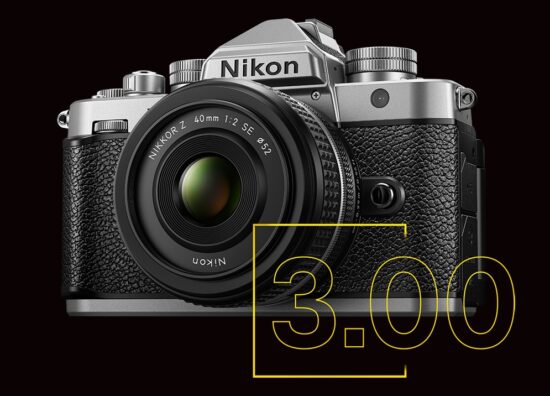
Critical UI deadlock issue on the Nikon Zf camera with firmware update C version 3.00 (sent by a reader):
This issue was confirmed by Nikon support in Japan. Under specific settings, the camera loses the ability to display the live view on the rear LCD and cannot exit the i-menu state. Only selfie-mode (LCD rotated 180°) temporarily bypasses the lock. Below are the exact conditions and steps:
Affected settings
- Custom Setting f2: Reassign DISP button to anything other than “DISP”
- Monitor mode: “Auto monitor switch (only when monitor is closed)”
- Monitor usage: Finder priority 2 only
Steps to reproduce
- Fold the LCD inward (facing the camera body).
- Without looking into the EVF, press the i-button once → i-menu appears.
- Open the LCD (but not to the 180° selfie position).
Actual behavior (bug)
- The rear monitor remains stuck, displaying the i-menu.
- Live view never appears (LCD shooting is impossible).
- Half-pressing the shutter, switching AF modes, using other buttons → no exit path.
- Closing the LCD restores EVF shooting, but reopening it re-enters the locked i-menu state.
- The only recovery options are:
- Restore DISP functionality, or
- Initialize the camera.
Expected behavior:
- A half-press of the shutter should close the i-menu and immediately return to live view, as it does when the LCD is still folded.
Additional notes:
- The behavior indicates that the UI state machine has no valid transition from
(LCD-open + i-menu-on + FinderPriority2 + DISP unassigned). - The camera enters a “display pipeline deadlock,” with selfie-mode being the only branch
that forces a full display-mode override.
State diagram (simplified):
+————————-+
| LCD closed |
| i-menu ON |
+———-+————-+
|
| open LCD (not 180°)
v
+——————————-+
| LCD open (normal angle) |
| i-menu ON |
| EXPECTED: shutter half → LV |
| ACTUAL: no exit path ←——–+
+—————+—————+
|
| rotate LCD 180° (selfie mode)
v
+——————————–+
| Selfie mode (LCD 180°) |
| Forced live view override |
+——————————–+
Major Nikon Zf firmware update version 3.00 released with the new “Film Grain” feature and much more