When reviewing old photos, scanned prints from a film-era Nikon, compact camera photos, or mobile shots, the memories often appear much “softer” than we remember them, with compression artifacts and distracting noise. Then, how can you restore old photos and, optionally, enhance faces with a realistic finish?
Aiarty Image Enhancer is designed for photo restoration and quality upscaling, with both AI inference and manual control. It helps to reduce noise, fix flawed portraits, restore old photos, and upscale to a higher resolution, while keeping the output natural and faithful.
One-time Payment and Cross-Platform Offer:
Anyone can grab a Lifetime License (multi-PC/Mac) for $79 (49% off), offering great value with lifetime usage, a 30-day money-back guarantee, and full feature access without a hidden fee.
All updates are free for existing users as always.
How Aiarty Helps with Photo Quality Restoration
Aiarty Image Enhancer has AI models to denoise, deblur, restore old photos, and enhance image quality, with a strength slider to adjust intensity. The results remain natural without an over-sharpening look.
Restore Old Photos to Natural Clarity
On modern 4K displays and large-format reprints, legacy 2MP and 5MP photos appear blurry and muddy. Older Nikon shots in low-light scenes often show digital noise and color speckles.
AI models in Aiarty Image Enhancer will apply noise removal and detail restoration properly, while also offering flexible adjustments:
And these are core features that make a great AI image enhancer.
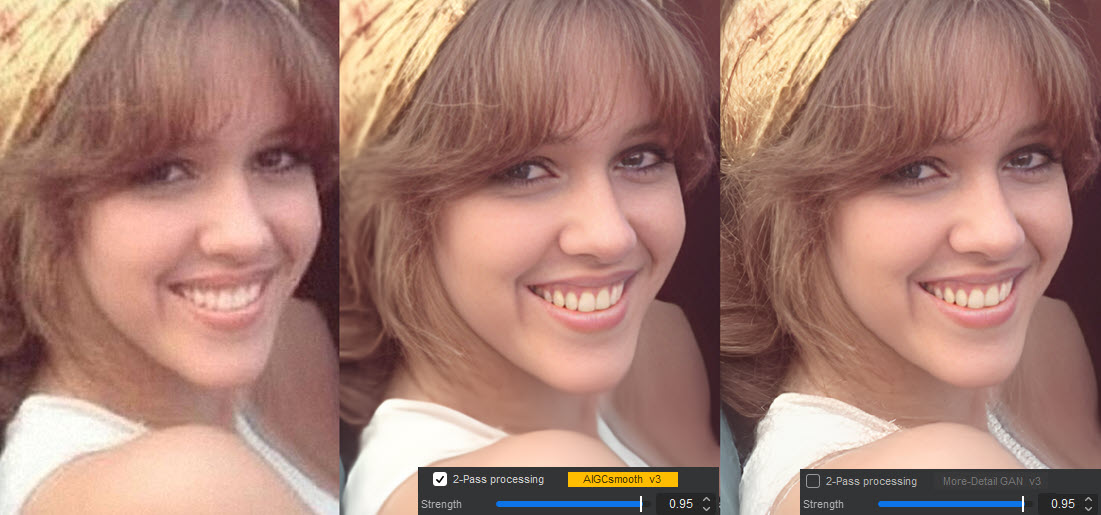
Image Test 1. Left: original old portrait. Middle: Aiarty More-Detail Model, scale x1, enable 2-pass with AIGCsmooth v3, Face Restoration on, strength 0.95. Right: same settings, turn off 2-pass processing.
Aiarty Image Enhancer applies these adjustable controls, allowing photographers to refine results based on the condition of each file rather than applying uniform corrections.
Fix Blurry Faces and Make Portraits Clearer
Soft or blurry faces are sometimes caused by limited autofocus performance, slight camera shake, or sensor constraints in earlier compact cameras.
For low-definition and heavily compressed portraits, the optimized AI face enhancer in Aiarty Image Enhancer supports 1-click restoration. It will bring back details for skin, hair, and natural clarity.
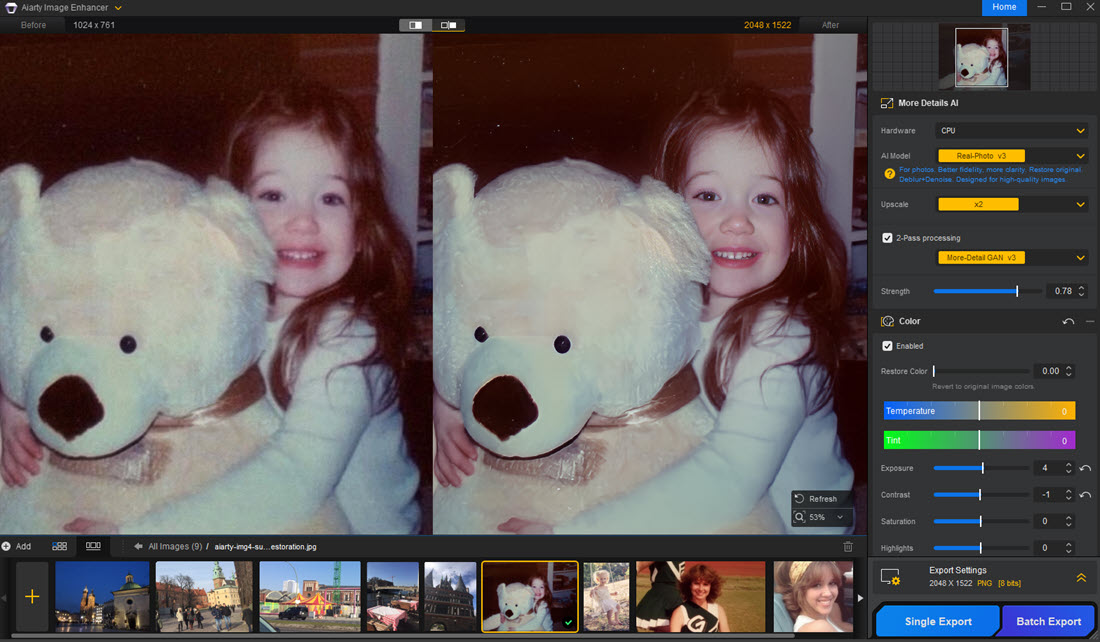
Image Test 2. Fix blurry faces with Aiarty. Apply Real-Photo Model, Scale x1 with Face Restoration on, then Upcale x2. This keeps the retro look’s natural grain, while naturally restoring face clarity and details to the fluffy toy bear.
For some photos, you don’t need to always toggle on the Face Restoration option, as the standard AI models will improve portrait quality initially.
Using the real-time preview, you can easily switch AI models, inspect results, and maintain the most suitable settings for a natural, faithful portrait retouch. It is particularly handy for:
Denoise, Upscale, and Keep Natural Details
One challenge for photo restoration software is avoiding over-processing. Old camera photos, especially those already softened by sensor limitations, can quickly look artificial if pushed too far.
Aiarty Image Enhancer addresses this with dedicated AI models and adjustable strength controls that maintain texture while improving clarity. This is particularly noticeable in areas such as hair, skin, and surface textures.
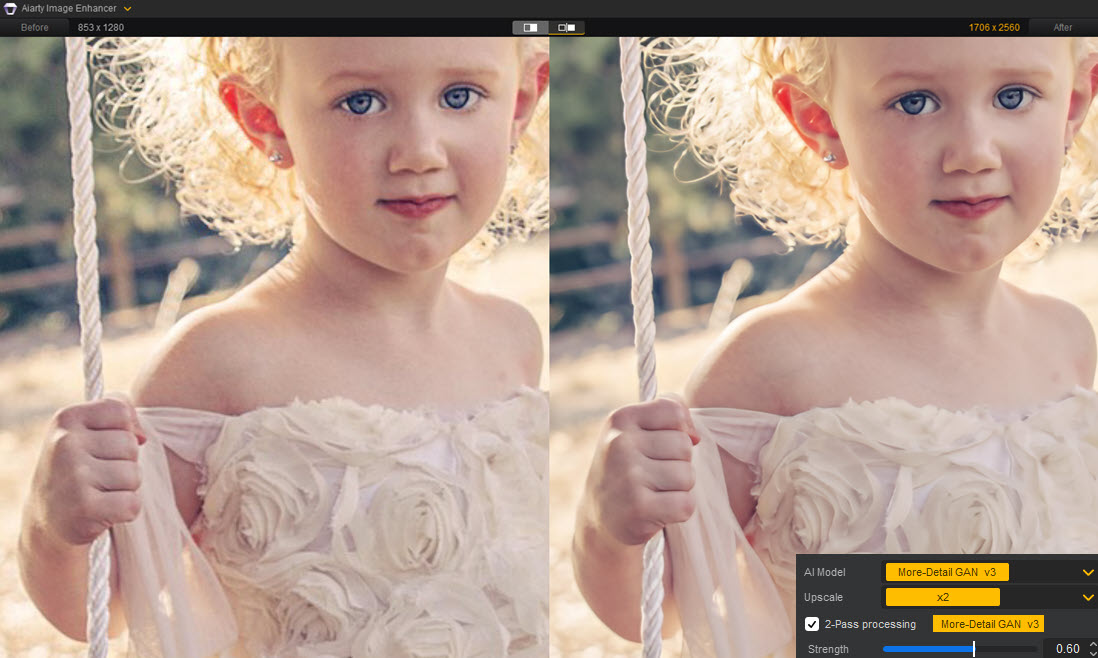
Image Test 3. Upscale low-resolution portrait with Aiarty Image Enhancer. Apply the More-Detail model, 2-pass, and adjust the strength to 0.60. Since the result is already clearer and natural, you can toggle off the Face Restoration option.
Besides old portrait photos, Aiarty Image Enhancer also works for wildlife photography, low-light scenes, street shots, product listing images, digital illustrations, web downloads, and mobile scans.
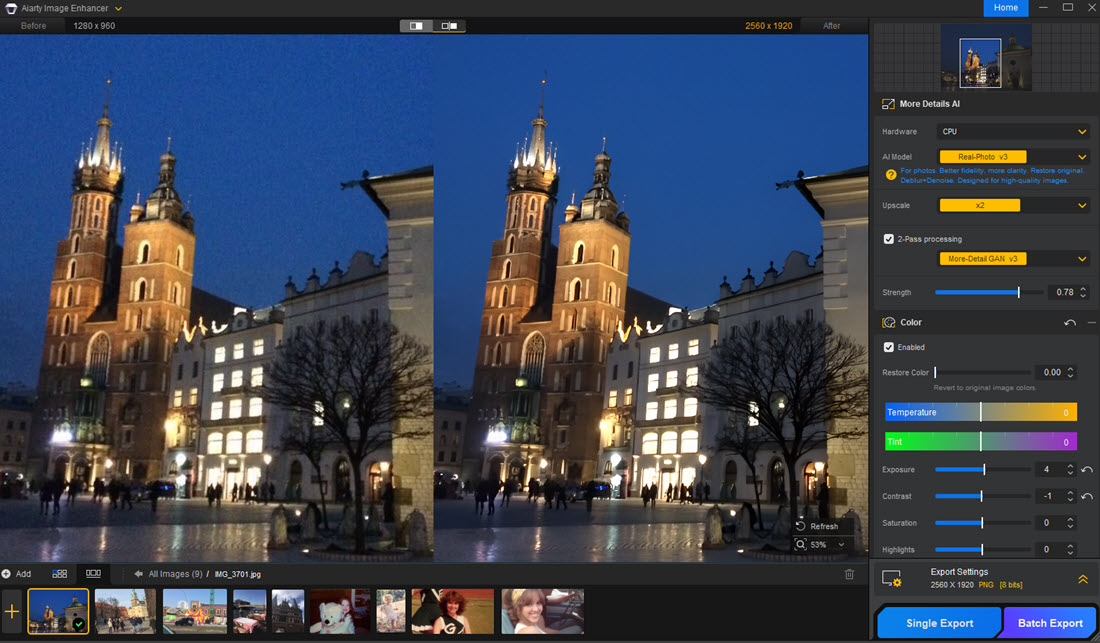
Image Test 4. Fix grainy low-light photos with Aiarty Image Enhancer. Apply the Real-Photo model, dialing strength around 0.75-0.85 to remove digital zoom noise while keeping realistic details.
With dedicated AI models handling tricky scenarios and photo-quality issues, manual strength control, and 2-pass processing options, you can fine-tune the enhancement to the desired look, avoiding the overly processed look common in other tools.
Easy, Stable, and Safe Workflows
Local processing matters a lot for users seeking 100% offline solution. Aiarty Image Enhancer works as a standalone image enhancer software on a desktop, and image processing stays offline securely for utmost privacy concerns.
The local mechanism also allows it to take full advantage of supported hardware, delivering a stable and speedy processing for batch tasks.
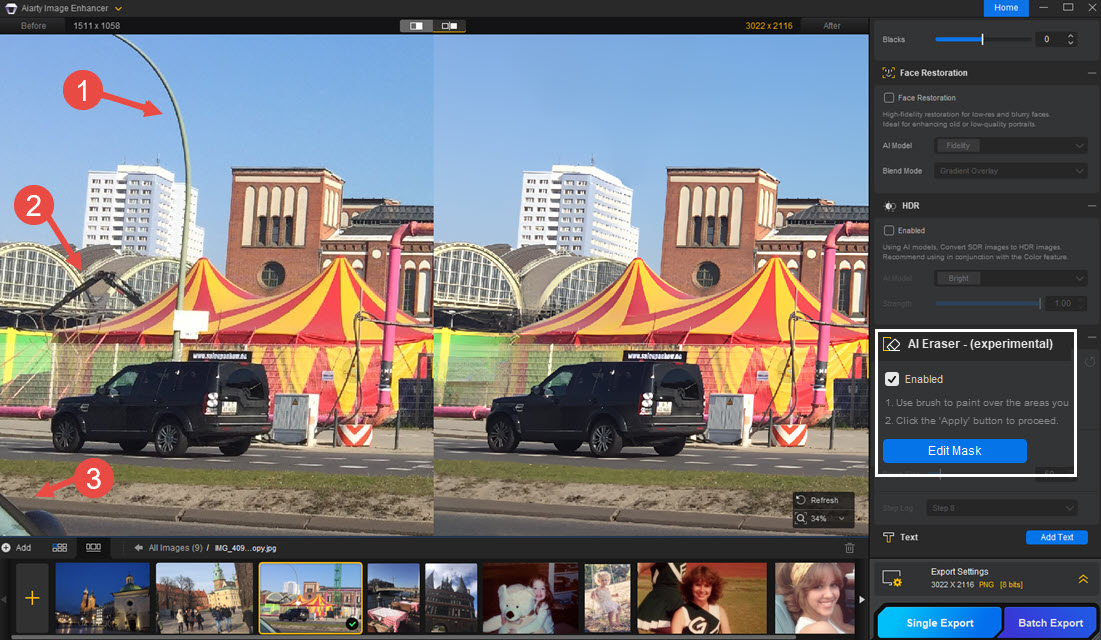
Image Test 5. Retouch and clean up old photos with Aiarty. Besides applying x2 upscaling, you can also enable the AI eraser to brush over distracting objects. Aiarty will auto-fill the target area, moving blemishes and photo bombers.
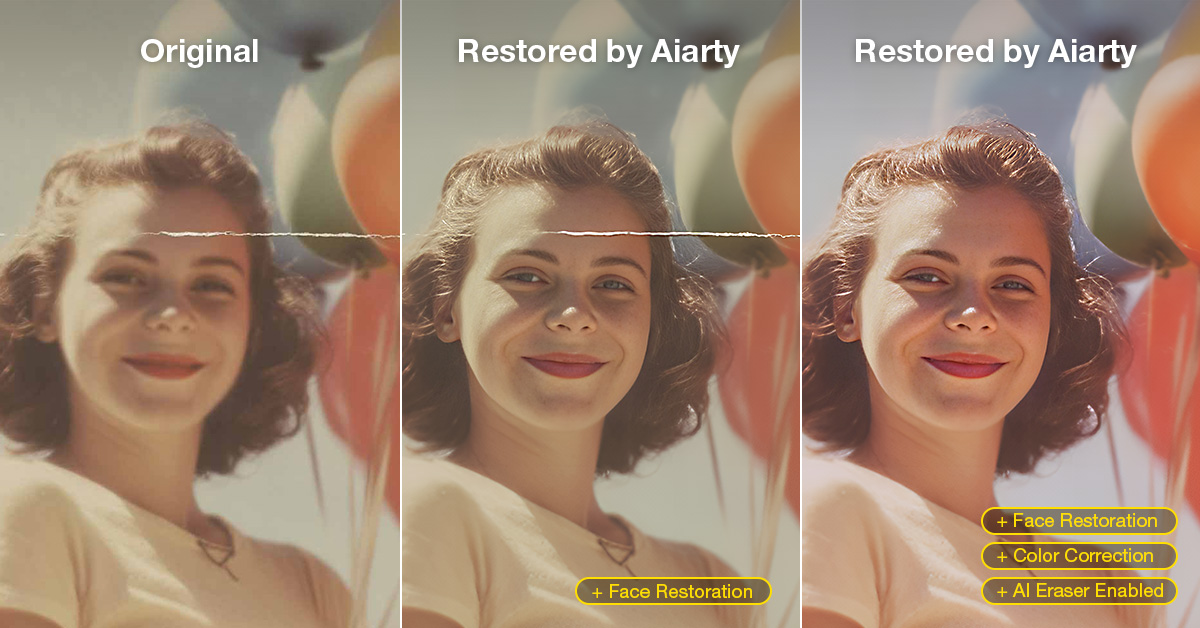
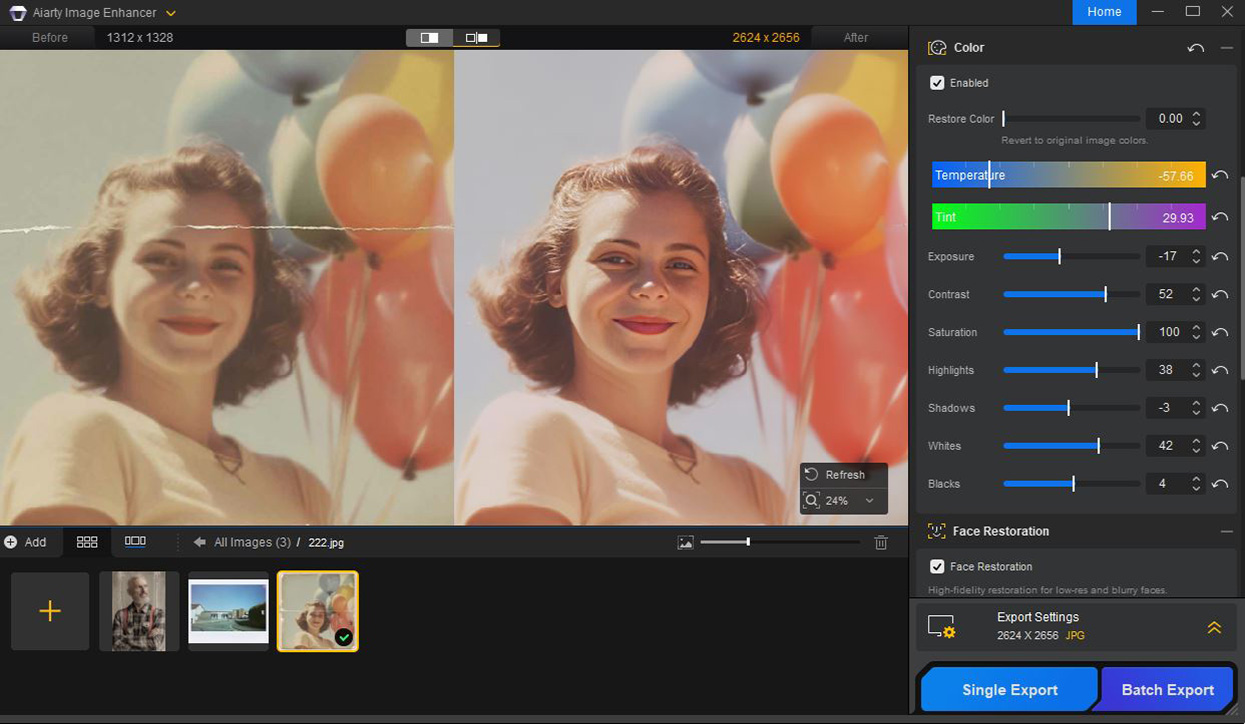
Image Test 6. Restore old portrait with Aiarty: 2x upscaling, face restoration, color correction, and AI eraser. Fold lines removed, image sharpened, facial and hair details faithfully reconstructed, and yellowing corrected.
Within broader restoration workflows, newer features such as AI eraser, expanded RAW file support, TIFF/DNG HDR export, optimized lighting, and color rendering make it efficient in professional pipelines.
49% Off Cross-Platform Offers
To support flexible workflows on multiple devices, users can choose the following options of Lifetime License for only $79 now (regular price $155), each offering 49% off with different device setups:
For photographers restoring legacy files, improving family archives, or refining old album downloads, this combination of capability and pricing makes Aiarty Image Enhancer a practical addition to a modern workflow.