After months of announcements, press releases, and YouTuber leaks, Nikon has finally officially released the ZR firmware update 2.0 (Nikon ZR lens combos are now up to $800 off). All the details have already been published online. Here is the final released information:
Video Recording
Still Photography
Controls
Other Changes
You can download the new firmware here.
Additional information:
Firmware version 2.00 is the first major update for the Nikon ZR since its launch, further expanding creative capabilities and enhancing production workflows. The update adds support for Log3G10 gamma when recording in the compact H.265 video file format, enabling shooting that incorporates RED color science. Also new is the ability to select the level of [High ISO NR], supporting image rendering tailored to the creator’s intent and the visual tone of each production. In addition, more functions can now be assigned to the command dials and function buttons, enabling single-action access to key settings for a significant improvement in operability. Further, the addition of a focus peaking display when recording in R3D NE*1 format, together with support for applying a 3D LUT to HDMI output, enables efficient monitoring during shooting. With these updates, the ZR becomes more versatile and easier to use in a wide variety of situations.
Nikon will continue to enhance its products through firmware updates that address user needs, while also contributing to the development of imaging culture in the field of cinema.
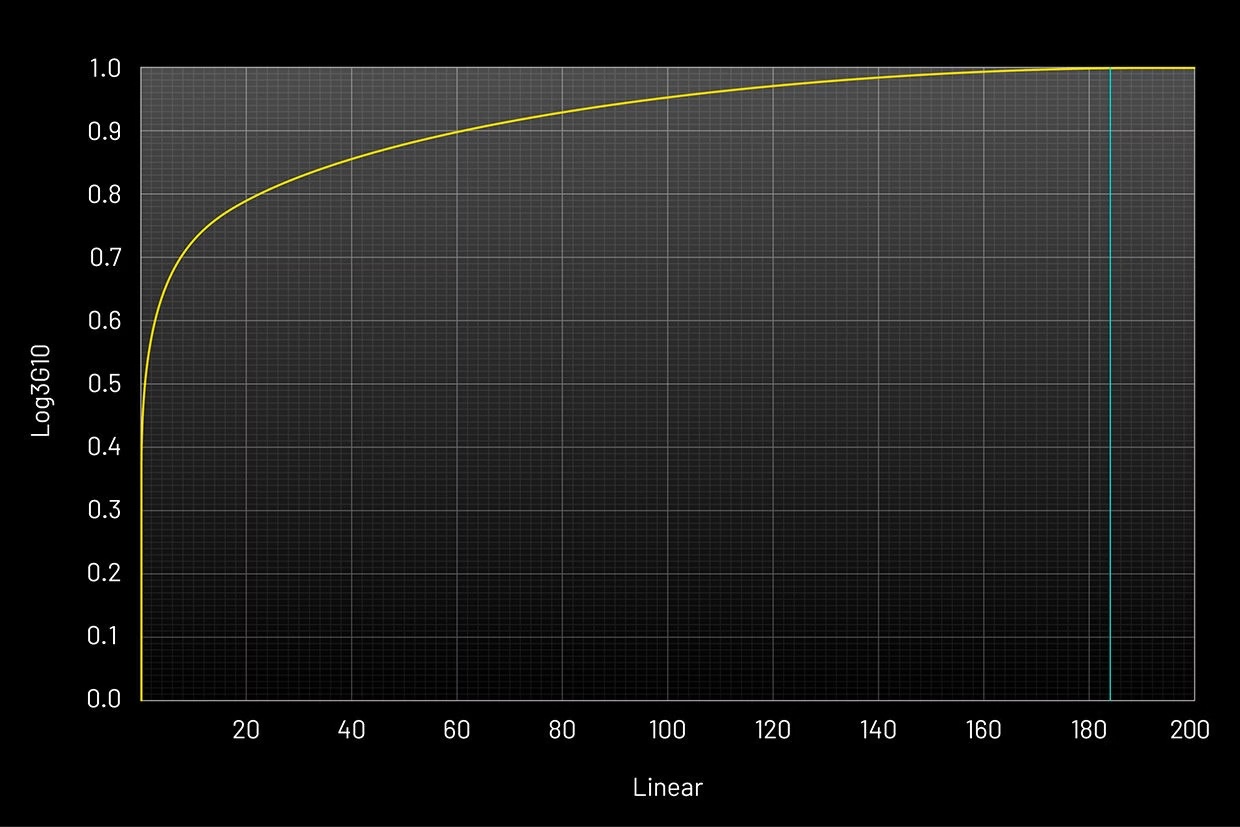
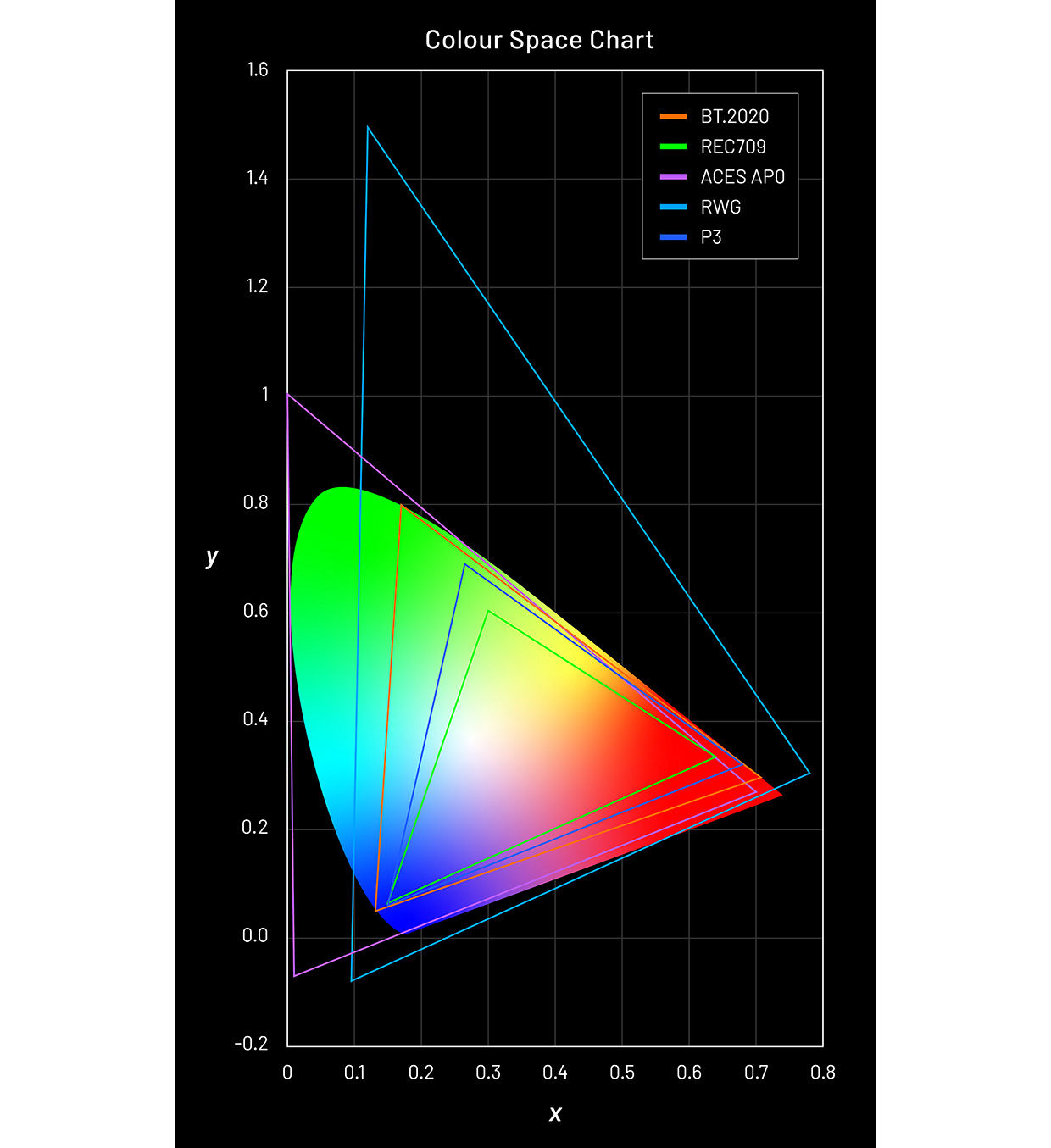
Log3G10 gamma*2 has been added to the tone mode options for recording in the H.265 format, enabling shooting in the REDWideGamutRGB*3 color gamut. As a result, even footage recorded in the compact H.265 format can be produced with the high color-grading latitude made possible by RED color science, with its smooth tonal gradation and exceptionally wide color gamut. In addition, the level of [High ISO NR] can be selected from four settings when shooting with Log3G10 or N-Log in H.265 recording, enabling image rendering tailored to the creator’s intent, from shooting that prioritizes inherent textures to shooting that calls for smooth rendering with minimal noise.
ISO sensitivity, exposure settings, white balance (WB), and white balance color temperature (WBK) can now be assigned to the command dials, allowing users to customize camera operation for greater ease of use. Further, assigning [3D LUT/View Assist] to an Fn button allows user to switch between these settings with a single operation. This enables the operator to adjust settings without taking their eyes off the monitor, allowing them to stay focused on capturing their intended shots.